 Frostyh

Overview
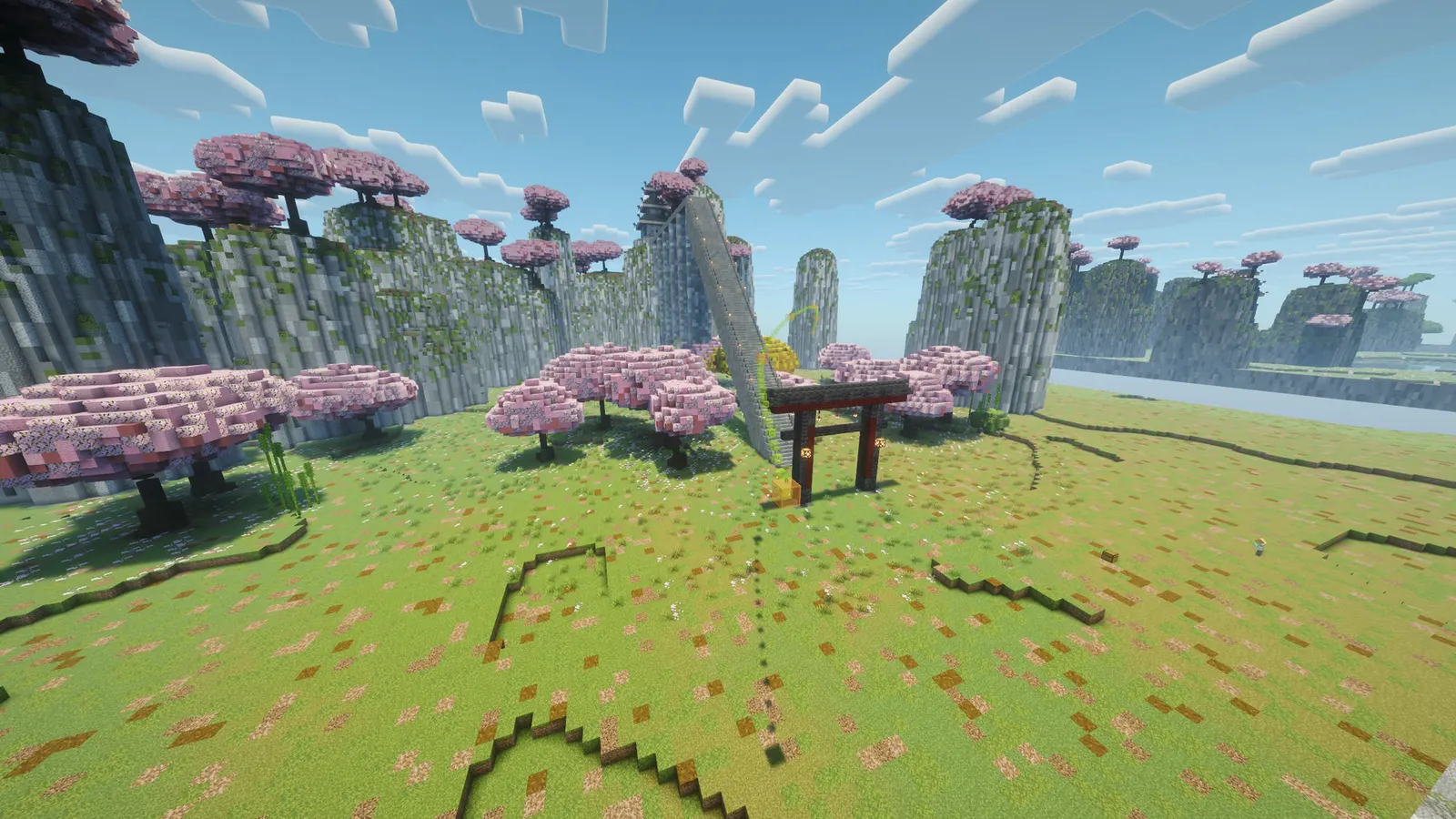
Film your Minecraft series like a movie: smooth camera flights, frozen explosions, a crowd of extras and a giant on set, all from one plugin.
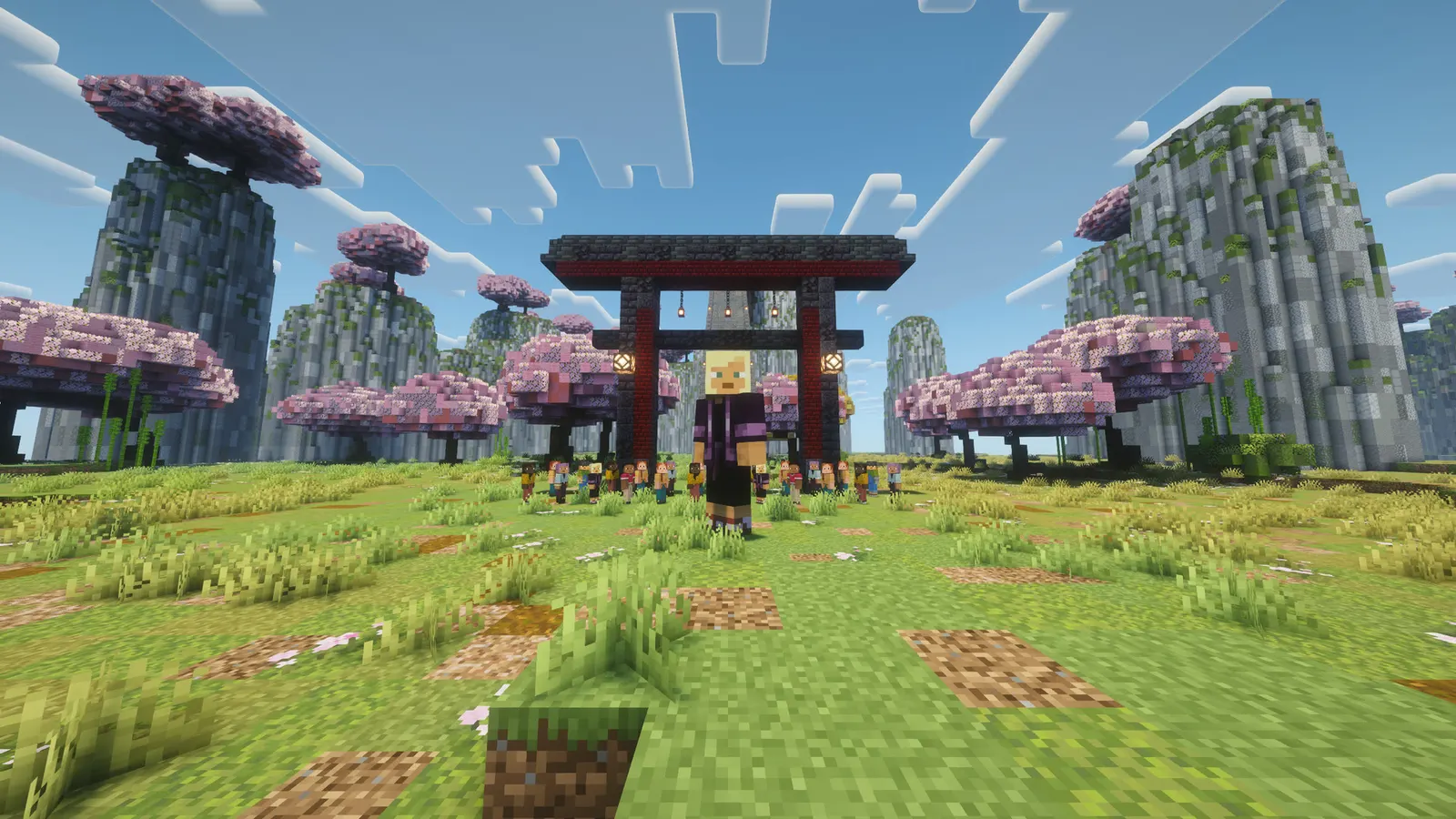
Stand where the shot starts and type /cs path create intro. Fly to the next spot and /cs path add intro. Do that a few times, then /cs path play intro 12: the camera flies a smooth curve through every point in exactly 12 seconds while you record. Freeze the world mid-explosion and orbit it. Fill a stadium with extras wearing any player's skin. Make an actor three times as tall for one scene.
It is a crew tool. Every command needs a permission that defaults to operators, so your actors play in plain vanilla and never see a command, a tab entry or a message from it.
In short
- Smooth camera paths without a client mod: the camera glides instead of stepping 20 times a second
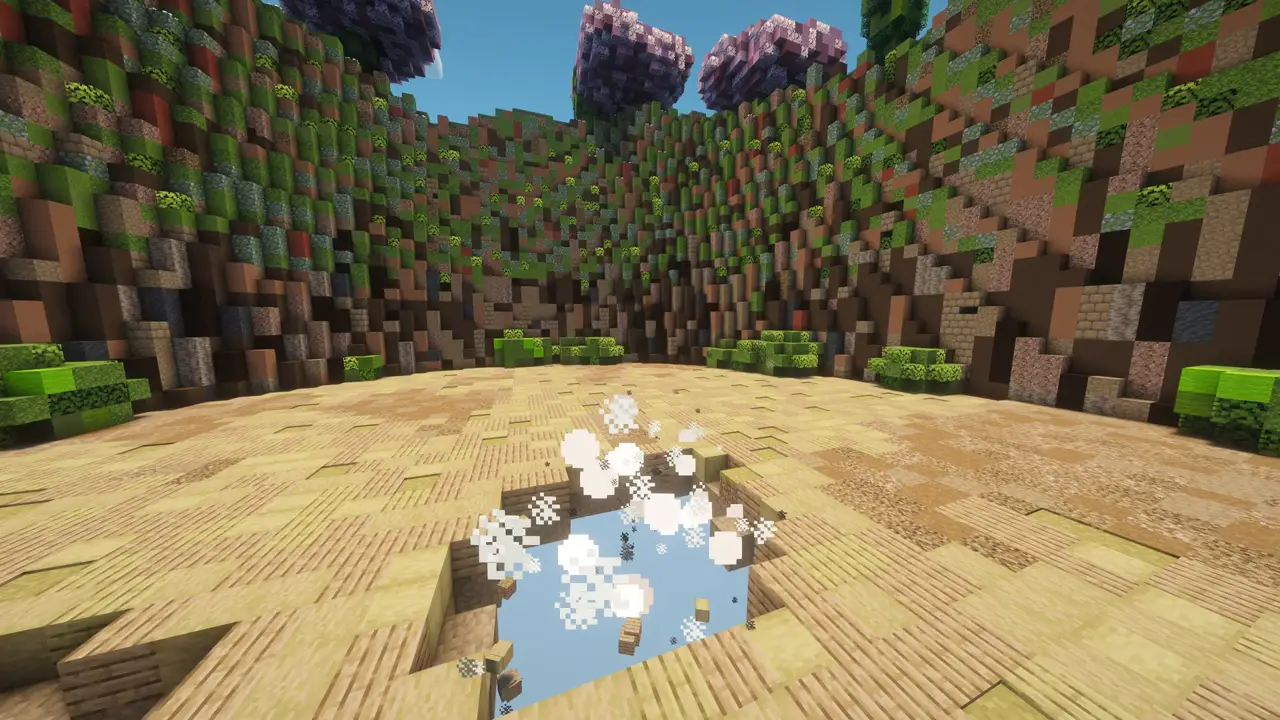
- Bullet time: freeze the world while the camera keeps moving, or slow it to a quarter speed
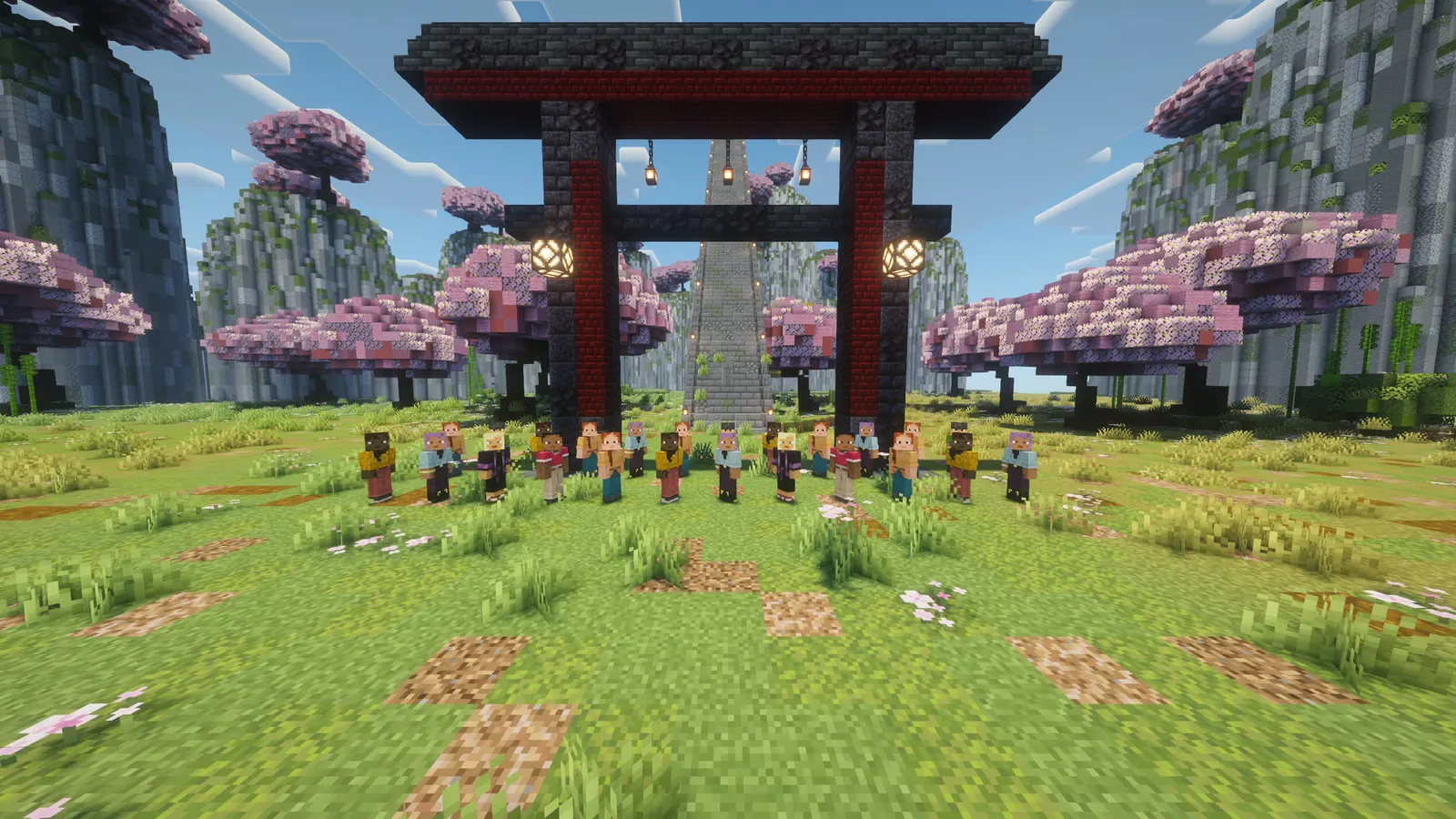
- Extras that look like real players, with any skin, posed, holding items, in groups
- Saved shots with a take counter, so take 7 flies exactly like take 1
- Physics presets for actors: giant, tiny, moon gravity, feather fall
- Name in /plugins
CreatorStudio- Latest version
- 1.0.1
- Runs on
- Paper or Purpur, Java 21
- BuiltByBit
- Coming soon
What changed in 1.0.1
- Fixed: an orbit or dolly over a frozen world (bullet time "freeze") showed a still picture. A frozen world stops every entity that is not a player, including the camera rig, so the view stood still. While the world is frozen the camera now moves the operator directly, and goes back to the smooth rig as soon as time runs again. Path playback over a frozen world gets the same fix.
- Orbit and dolly in a running world are unchanged and glide as before.
Features
01What makes it different
- Real smoothness: the camera operator rides an invisible display entity, and the client glides it between server ticks instead of jumping from one position to the next
- Curves that behave: centripetal Catmull-Rom splines pass through every keyframe without loops or overshoot, and playback runs by distance, so the speed stays constant even when your keyframes are uneven
- Extras are Mojang's own Mannequin entity (1.21.9+): real player models, no fake players in the tab list, nothing that breaks on updates. Older servers fall back to armour stands
- Bullet time is the vanilla tick system, and it always switches itself back: on cut, after a safety limit, and when the server stops
02What you get
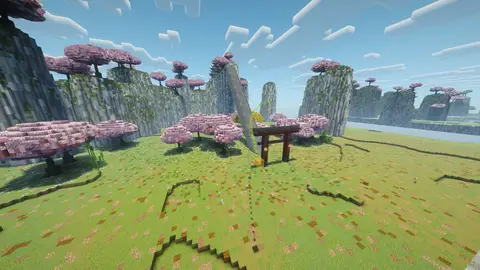
- Camera paths: keyframes from where you stand and look, insert, remove, preview the curve in the world (only you see the markers), play with constant speed, eased start and stop, or your own seconds per keyframe, loop
- Orbit: circle a spot, the block you look at, or a moving actor, at any radius and height, any number of turns
- Dolly: a straight push-in or pull-out along your view, with an optional rise
- Shot board: save a path with its length, timing and bullet time as a named shot; roll it from a window; every roll counts a take
- Bullet time: freeze, step tick by tick, slow motion presets (half, quarter, crawl) or any rate from 1 to 20 ticks a second
- Extras: place with any player's skin (looked up once, then cached), pose (standing, crouching, sitting, lying), hand them what you hold, turn a group to face the camera, reskin or remove a whole group
- Physics: giant, tiny, moon, feather and heavy presets on players or extras, and your own presets in config.yml
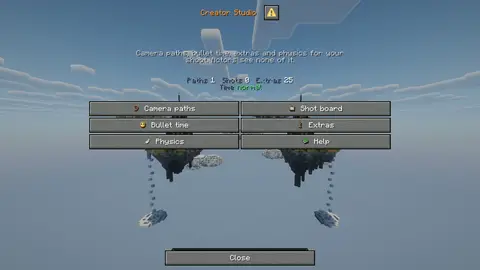
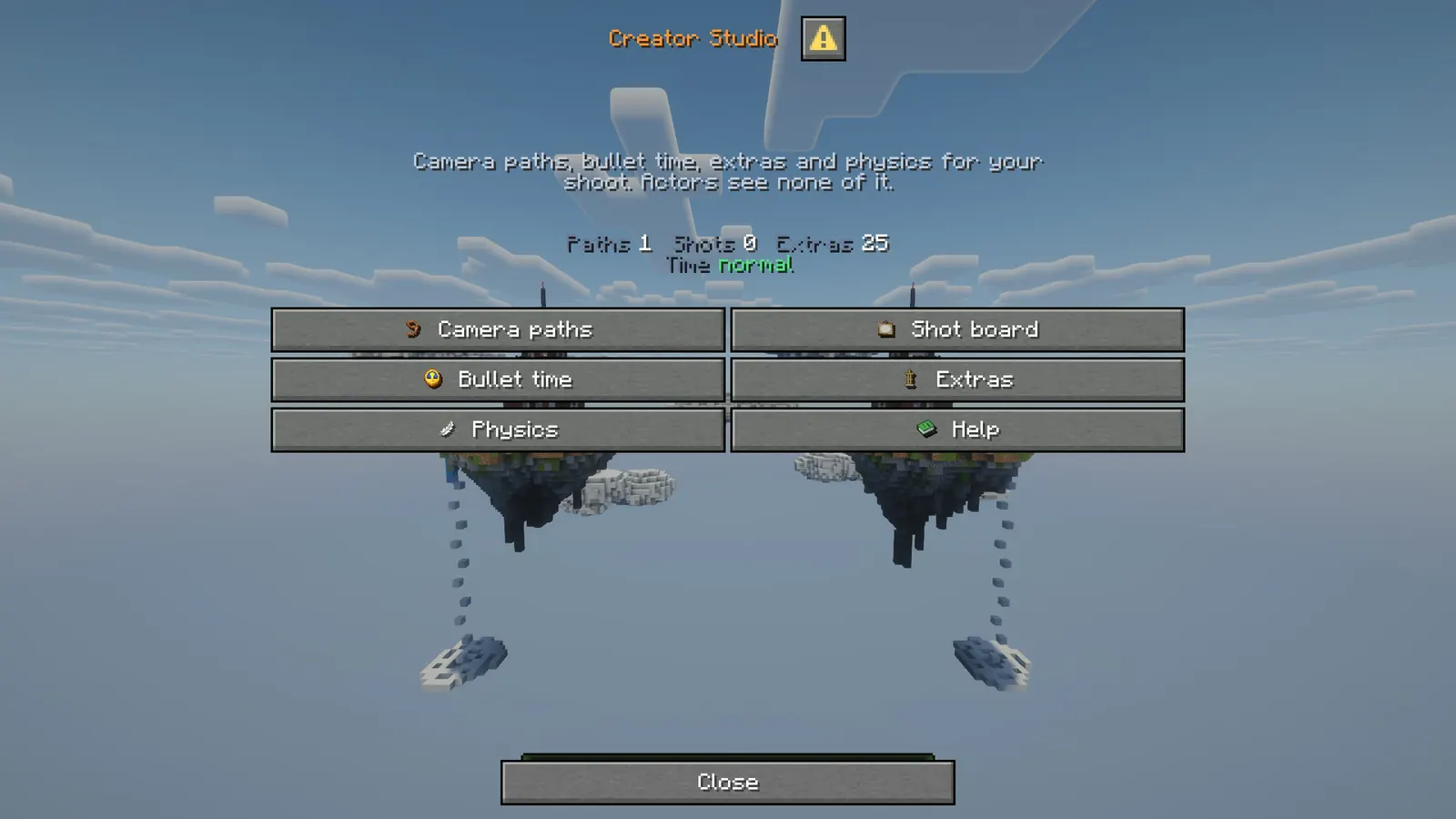
- Native windows: the studio, shot board, bullet time, extras and physics are dialog windows, no chest menus
- Every word is yours: all messages and buttons in config.yml, MiniMessage, one colour theme
03Good to know
- Creator Studio moves the camera; record with OBS or your usual recorder. Press F1 to hide the HUD.
- A server cannot set a player's field of view. Use your own FOV slider or a zoom mod for close-ups.
- Slow motion slows players too, because the client follows the server's tick rate. A frozen world does not: players keep moving.
- The smooth camera spectates an entity. If another plugin blocks spectating, set camera.mode to teleport (works, but steps slightly).
Installation
Requirements
- Server
- Paper, or a Paper fork such as Purpur. Spigot and CraftBukkit won't work, because it uses Paper-only APIs.
- Minecraft
- plugin.yml api-version 1.21; built against Paper API 1.21.11
- Java
- 21 or newer
- Needs
- No other plugin
- Works with
- Nothing optional
- Libraries
org.xerial:sqlite-jdbc:3.53.2.1, downloaded by the server on first start
Steps
- Download
CreatorStudio.jarfrom BuiltByBit. There's no licence key to enter. - Stop the server and put the jar in the
pluginsfolder. - Start the server. The plugin writes
plugins/CreatorStudio/config.ymlwith the defaults listed under Configuration. - Change
config.ymlto fit your server. - Run
/creatorstudio reloadto apply your changes, or restart the server.
Commands
Straight from plugin.yml. Where the permission column says "not set", plugin.yml puts no permission on the command itself; the nodes the plugin checks are under Permissions.
| Command | Aliases | Usage | What it does | Permission |
|---|---|---|---|---|
/creatorstudio | /cs /studio | /creatorstudio [path|orbit|dolly|stop|shot|time|extra|physics|help|reload] | Open the studio, fly the camera, freeze time, place extras. | creatorstudio.use |
Every subcommand
/cs                                   The studio window.
/cs path create|add|insert|remove|clear|delete <name> ...
/cs path preview <name>               Draw the path for yourself. /cs path hide removes it.
/cs path play <name> [seconds] [constant|ease|keyed] [loop]
/cs orbit <radius> <height> <seconds> [aim|here|player] [turns]
/cs dolly <distance> <seconds> [rise]
/cs stop                              Cut (or sneak while the camera rolls).
/cs shot save <name> <path> [seconds] [timing] [none|freeze|half|quarter|crawl|rate]
/cs shot play <name>                  Roll a take. /cs shot opens the shot board.
/cs time freeze|unfreeze|step [ticks]|slow <preset|rate>|normal
/cs extra spawn <skin> [pose] [group] / skin|pose|hold|face|clear <group>
/cs physics <preset|reset> [player|me|group:<name>]
/cs help, /cs reload
Permissions
From plugin.yml.
| Node | Default | What it allows | Includes |
|---|---|---|---|
creatorstudio.use | operators | Open the studio panel and the help. Actors without it get vanilla "Unknown command". | none |
creatorstudio.camera | operators | Make and play camera paths, orbits, dollies and shots. | creatorstudio.use |
creatorstudio.time | operators | Freeze, step and slow the world (bullet time). | creatorstudio.use |
creatorstudio.extras | operators | Place, pose and remove extras. | creatorstudio.use |
creatorstudio.physics | operators | Put physics presets on actors (giant, tiny, moon). | creatorstudio.use |
creatorstudio.admin | operators | Everything above, plus reloading the config. | creatorstudio.use creatorstudio.camera creatorstudio.time creatorstudio.extras creatorstudio.physics |
Placeholders
This plugin doesn't add any PlaceholderAPI placeholders.
Configuration
The default files exactly as they ship in the jar, comments included. The plugin writes them to plugins/CreatorStudio/ the first time it starts.
config.yml
| Key | Default | The comment above it |
|---|---|---|
camera | section, 7 keys | Camera paths, orbits and dollies. |
preview | section, 6 keys | The path drawn in the world, seen only by whoever asked. |
bullet-time | section, 2 keys | Bullet time: freeze or slow the world while the camera keeps moving. |
extras | section, 3 keys | Background actors with any skin. Mannequins on 1.21.9 and newer, armour stands before that. |
physics | section, 1 key | Presets for actors. Each value multiplies the attribute's own base value: scale 3 makes an actor three times as tall. Attributes: scale, gravity, jump_strength, safe_fall_distance, step_height, movement_speed. |
menu | section, 1 key | The studio windows. |
theme | section, 12 keys | Colours used by every message and window. Change one hex to restyle the whole plugin. |
messages | section, 158 keys | Every word the plugin says. MiniMessage format with the theme tags above. An empty message ("") switches that line off. |
plugins/CreatorStudio/config.yml351 lines
# ------------------------------------------------------------------------------------------------
#  Creator Studio by Frostyh
#  Filming tools for a crew: smooth camera paths, orbits and dollies, bullet time, extras with any
#  skin and physics presets. /creatorstudio (or /cs) opens the studio.
#  Every command needs a permission that defaults to operators, so actors play in plain vanilla.
# ------------------------------------------------------------------------------------------------

# ============================================================================
#   ███  ██  █   █ ████ ███   ██
#  █    █  █ ██ ██ █    █  █ █  █
#  █    ████ █ █ █ ███  ███  ████
#  █    █  █ █   █ █    █ █  █  █
#   ███ █  █ █   █ ████ █  █ █  █
# ============================================================================
#  Camera paths, orbits and dollies.
camera:
  # rig: the operator spectates an invisible display that is moved every tick with a short
  #      teleport duration. The client smooths the movement at its own frame rate. Best picture.
  # teleport: the operator is teleported every tick. Use it only if another plugin blocks
  #      spectating entities; it shows a slight stepping.
  mode: rig
  # How many ticks the client spends gliding between two rig positions (1 to 59). 2 to 4 is
  # smooth without lagging behind the path. Higher is softer but trails the path more.
  smoothing-ticks: 3
  # Seconds of "Rolling in 3, 2, 1" on the action bar before a shot starts. 0 starts at once.
  countdown-seconds: 3
  # Length of a shot when none is given.
  default-seconds: 10
  # constant: the same speed the whole way. ease: a gentle start and stop. keyed: the seconds
  # stored on each keyframe ("/cs path add <name> <seconds>").
  default-timing: ease
  # Put the operator back where they stood, in the game mode they had, when the shot ends.
  return-to-start: true
  # Keyframes one path may hold. 0 means no limit.
  max-keyframes: 100

# ============================================================================
#  ███  ███  ████ █   █ ███ ████ █   █
#  █  █ █  █ █    █   █  █  █    █   █
#  ███  ███  ███  █   █  █  ███  █ █ █
#  █    █ █  █     █ █   █  █    ██ ██
#  █    █  █ ████   █   ███ ████ █   █
# ============================================================================
#  The path drawn in the world, seen only by whoever asked.
preview:
  # A small marker every this many blocks along the curve.
  spacing: 1.5
  # Markers one preview may place at most.
  max-markers: 300
  # Marker size in blocks.
  marker-size: 0.18
  marker-block: minecraft:lime_stained_glass
  keyframe-block: minecraft:orange_stained_glass
  # How long a preview stays before it removes itself.
  seconds: 45

# ============================================================================
#  ███ ███ █   █ ████
#   █   █  ██ ██ █
#   █   █  █ █ █ ███
#   █   █  █   █ █
#   █  ███ █   █ ████
# ============================================================================
#  Bullet time: freeze or slow the world while the camera keeps moving.
bullet-time:
  # Safety limit: bullet time switches itself off after this many seconds. 0 means never.
  max-seconds: 180
  # Slow motion presets, in ticks per second (20 is normal, 1 is the slowest Minecraft allows).
  presets:
    half: 10
    quarter: 5
    crawl: 2

# ============================================================================
#  ████ █   █ ███ ███   ██   ███
#  █     █ █   █  █  █ █  █ █
#  ███    █    █  ███  ████  ██
#  █     █ █   █  █ █  █  █    █
#  ████ █   █  █  █  █ █  █ ███
# ============================================================================
#  Background actors with any skin. Mannequins on 1.21.9 and newer, armour stands before that.
extras:
  # Keep a looked-up skin this many days before asking Mojang again.
  skin-cache-days: 7
  # Extras one group may hold at most. 0 means no limit.
  max-per-group: 60
  # Mannequins show a small "NPC" line under them by default. false hides it.
  show-label: false

# ============================================================================
#  ███  █  █ █ █  ███ ███  ███  ███
#  █  █ █  █ █ █ █     █  █    █
#  ███  ████  █   ██   █  █     ██
#  █    █  █  █     █  █  █       █
#  █    █  █  █  ███  ███  ███ ███
# ============================================================================
#  Presets for actors. Each value multiplies the attribute's own base value: scale 3 makes an
#  actor three times as tall. Attributes: scale, gravity, jump_strength, safe_fall_distance,
#  step_height, movement_speed.
physics:
  presets:
    giant:
      scale: 3.0
      step_height: 3.0
      jump_strength: 1.6
      safe_fall_distance: 3.0
    tiny:
      scale: 0.3
      movement_speed: 0.7
    moon:
      gravity: 0.17
      jump_strength: 1.8
      safe_fall_distance: 6.0
    feather:
      gravity: 0.05
      safe_fall_distance: 20.0
    heavy:
      gravity: 2.0
      jump_strength: 0.6

# ============================================================================
#  █   █ ████ █   █ █  █
#  ██ ██ █    ██  █ █  █
#  █ █ █ ███  █ █ █ █  █
#  █   █ █    █  ██ █  █
#  █   █ ████ █   █  ██
# ============================================================================
#  The studio windows.
menu:
  # Width of the text in the windows, in pixels (200 to 1024).
  width: 300

# ============================================================================
#  ███ █  █ ████ █   █ ████
#   █  █  █ █    ██ ██ █
#   █  ████ ███  █ █ █ ███
#   █  █  █ █    █   █ █
#   █  █  █ ████ █   █ ████
# ============================================================================
#  Colours used by every message and window. Change one hex to restyle the whole plugin.
theme:
  accent: "#ff9a3c"
  accent2: "#ffd2a1"
  title: "#f4f7ff"
  text: "#c2ccdd"
  muted: "#6b7a94"
  value: "#ffffff"
  good: "#57e08a"
  warn: "#ffc857"
  bad: "#ff6b6b"
  # Item pictures beside button labels (no resource pack needed on 1.21.9 and newer clients).
  item-icons: true
  # A short sound for each click.
  sounds: true
  # The small capital font, for the odd message only. Off by default.
  small-caps: false

# ============================================================================
#  █   █ ████  ███  ███  ██   ███ ████  ███
#  ██ ██ █    █    █    █  █ █    █    █
#  █ █ █ ███   ██   ██  ████ █ ██ ███   ██
#  █   █ █       █    █ █  █ █  █ █       █
#  █   █ ████ ███  ███  █  █  ███ ████ ███
# ============================================================================
#  Every word the plugin says. MiniMessage format with the theme tags above.
#  An empty message ("") switches that line off.
messages:
  prefix: "<accent>Studio</accent> <muted>|</muted> "
  "no": "no"
  no-permission: "<bad>You do not have permission for that.</bad>"
  players-only: "<warn>That needs to be run in game.</warn>"
  unknown-command: "<warn>Unknown option. <text>/{label} help</text> lists them.</warn>"
  reloaded: "<good>Config reloaded.</good>"
  bad-name: "<warn>Names use letters, digits, _ and -, up to 32 characters.</warn>"
  player-not-found: "<warn>{player} is not online.</warn>"
  help-console: "<text>/cs path, /cs orbit, /cs dolly, /cs shot, /cs time, /cs extra, /cs physics. Most of it needs to be run in game.</text>"

  # camera
  camera-no-world: "<warn>That path's world is not loaded.</warn>"
  camera-countdown: "<accent>Rolling in <value>{seconds}</value></accent>"
  camera-rolling: "<text>Rolling <value>{path}</value> for <value>{seconds}s</value>. Sneak to cut.</text>"
  camera-released: "<muted>Cut. You left the camera.</muted>"
  camera-done: "<good>Cut. That's a take.</good>"
  camera-stopped: "<muted>Cut.</muted>"
  orbit-rolling: "<text>Orbiting at <value>{radius}</value> blocks for <value>{seconds}s</value>. Sneak to cut.</text>"
  orbit-no-target: "<warn>Look at a block to orbit it, or name a player.</warn>"
  dolly-rolling: "<text>Dolly of <value>{distance}</value> blocks over <value>{seconds}s</value>.</text>"
  usage-orbit: "<warn>/cs orbit <radius> <height> <seconds> [aim|here|player] [turns]</warn>"
  usage-dolly: "<warn>/cs dolly <distance> <seconds> [rise]. A negative distance pulls out.</warn>"

  # paths
  usage-path: "<warn>/cs path list|create|add|insert|remove|clear|delete|preview|hide|play|info <name></warn>"
  path-row: "<white><icon:path></white> <value>{path}</value> <muted>{keys} keyframes, {length} blocks</muted>"
  path-created: "<good>Path <value>{path}</value> created with your view as keyframe 1. Move and <text>/cs path add {path}</text> for the next.</good>"
  path-exists: "<warn>A path called {path} already exists.</warn>"
  path-not-found: "<warn>No path called {path}.</warn>"
  path-other-world: "<warn>That path is in {world}. A path stays in one world.</warn>"
  path-full: "<warn>That path already has {max} keyframes.</warn>"
  path-empty: "<warn>{path} has no keyframes yet.</warn>"
  path-cleared: "<good>{path} has no keyframes now.</good>"
  path-deleted: "<good>Deleted {path}.</good>"
  path-info: "<text><value>{path}</value> in {world}: {keys} keyframes, {length} blocks long, keyed time: {keyed}.</text>"
  keyframe-added: "<good>Keyframe <value>{n}</value> added to {path} <muted>({length} blocks so far)</muted>.</good>"
  keyframe-removed: "<good>Keyframe {n} removed from {path}.</good>"
  keyframe-bad: "<warn>Pick a keyframe from 1 to {max}.</warn>"
  preview-shown: "<text>Showing {path} for {seconds}s <muted>({n} markers, only you see them)</muted>. <text>/cs path hide</text> removes them.</text>"
  preview-hidden: "<muted>Preview removed.</muted>"
  preview-none: "<muted>No preview is showing.</muted>"
  preview-label: "<accent>{n}</accent>"

  # shots
  usage-shot: "<warn>/cs shot save <name> <path> [seconds] [constant|ease|keyed] [none|freeze|half|quarter|crawl|rate], /cs shot play <name>, /cs shot delete <name></warn>"
  shot-saved: "<good>Shot <value>{shot}</value> saved on {path}.</good>"
  shot-not-found: "<warn>No shot called {shot}.</warn>"
  shot-deleted: "<good>Deleted shot {shot}.</good>"
  shot-no-path: "<warn>Shot {shot} uses path {path}, which is gone or empty.</warn>"
  shot-rolling: "<text>Rolling <value>{shot}</value>, take <value>{take}</value>, {seconds}s. Sneak to cut.</text>"
  shot-line: "<value>{shot}</value> <muted>on {path}, {seconds}s, {takes} takes</muted>"

  # bullet time
  time-frozen: "<accent>World frozen.</accent> <text>Players still move; everything else holds still.</text>"
  time-unfrozen: "<good>World running again.</good>"
  time-slowed: "<accent>Slow motion:</accent> <value>{rate}</value> ticks a second <muted>({percent}% speed)</muted>."
  time-stepped: "<text>Ran {ticks} tick(s).</text>"
  time-step-not-frozen: "<warn>Stepping only works while the world is frozen.</warn>"
  time-normal: "<good>Time back to normal.</good>"
  time-bad-rate: "<warn>Use a preset (half, quarter, crawl) or a number from 1 to 20.</warn>"
  time-status: "<text>Bullet time: {state}</text>"
  time-limit: "<warn>Bullet time ran for its {seconds} second limit and switched itself off.</warn>"
  time-state-frozen: "<accent>frozen</accent>"
  time-state-slow: "<accent>slow motion</accent> <muted>({rate} ticks a second, {percent}%)</muted>"
  time-state-normal: "<good>normal</good>"

  # extras
  usage-extra: "<warn>/cs extra spawn <skin> [pose] [group], skin|pose|hold|face|clear <group> ...</warn>"
  extra-spawned: "<good>Extra placed with {skin}'s skin in group <value>{group}</value>.</good>"
  extra-group-full: "<warn>Group {group} already has {max} extras.</warn>"
  extra-skinned: "<good>{n} extra(s) now wear {skin}'s skin.</good>"
  extra-posed: "<good>{n} extra(s) now {pose}.</good>"
  extra-holding: "<good>{n} extra(s) now hold what you hold.</good>"
  extra-facing: "<good>{n} extra(s) now look at you.</good>"
  extra-cleared: "<good>Removed {n} extra(s) from {group}.</good>"
  extra-none: "<muted>No extras placed yet.</muted>"
  extra-row: "<white><icon:extras></white> <value>{group}</value> <muted>{n} extra(s)</muted>"

  # physics
  usage-physics: "<warn>/cs physics <preset|reset> [player|me|group:<name>] ...</warn>"
  physics-applied: "<good>{preset} on {n} actor(s).</good>"
  physics-reset: "<good>Physics back to normal on {n} actor(s).</good>"
  physics-no-target: "<warn>Nobody to apply it to. Name a player, me, or group:<name>.</warn>"
  physics-bad-preset: "<warn>No such preset. Presets: {presets}.</warn>"

  # windows: home
  home-title: "<accent>Creator Studio</accent>"
  home-intro: "<text>Camera paths, bullet time, extras and physics for your shoot. Actors see none of it.</text>"
  home-status: "<muted>Paths</muted> <value>{paths}</value>  <muted>Shots</muted> <value>{shots}</value>  <muted>Extras</muted> <value>{extras}</value><newline><muted>Time</muted> {time}"
  home-rolling: "<accent>A shot is rolling.</accent>"
  btn-paths: "<white><icon:path></white> Camera paths"
  btn-paths-tip: "Play or preview a saved path."
  btn-shots: "<white><icon:shot></white> Shot board"
  btn-shots-tip: "Saved shots with their takes."
  btn-time: "<white><icon:slowmo></white> Bullet time"
  btn-time-tip: "Freeze, step or slow the world."
  btn-extras: "<white><icon:extras></white> Extras"
  btn-extras-tip: "Place background actors with any skin."
  btn-physics: "<white><icon:physics></white> Physics"
  btn-physics-tip: "Giant, tiny, moon and more."
  btn-cut: "<white><icon:stop></white> Cut"
  btn-cut-tip: "Stop the shot that is rolling."
  btn-help: "<white><icon:help></white> Help"
  btn-help-tip: "Every command, explained."
  btn-back: "<white><icon:back></white> Back"
  btn-back-tip: "The previous window."
  btn-close: "Close"

  # windows: paths
  paths-title: "<accent>Camera paths</accent>"
  paths-none: "<muted>No paths yet.</muted>"
  paths-more: "<muted>... and {n} more. /cs path list shows all of them in chat.</muted>"
  paths-how: "<muted>Make one: stand where the shot starts, <text>/cs path create name</text>, move, <text>/cs path add name</text>, repeat.</muted>"
  btn-play-path: "<white><icon:play></white> Play {path}"
  btn-play-path-tip: "Fly the path now."
  btn-preview-path: "<white><icon:preview></white> Show {path}"
  btn-preview-path-tip: "Draw the path in the world for you only."

  # windows: shots
  shots-title: "<accent>Shot board</accent>"
  shots-none: "<muted>No shots saved yet.</muted>"
  shots-more: "<muted>... and {n} more.</muted>"
  shots-how: "<muted>Save one: <text>/cs shot save name path seconds ease freeze</text></muted>"
  shot-row: "<white><icon:shot></white> <value>{shot}</value> <muted>{path}, {seconds}s, {timing}, {time}, {takes} takes</muted>"
  shot-time-freeze: "frozen"
  shot-time-slow: "{rate} tps"
  shot-time-normal: "normal time"
  btn-roll: "<white><icon:play></white> Roll {shot}"
  btn-roll-tip: "Start a new take of this shot."
  btn-delete-shot: "<white><icon:delete></white> Delete {shot}"
  btn-delete-shot-tip: "Asks first."
  confirm-title: "<warn>Are you sure?</warn>"
  confirm-delete-shot: "<text>Delete the shot <value>{shot}</value>? Its path stays.</text>"
  btn-yes-delete: "<white><icon:delete></white> Delete"
  btn-yes-delete-tip: "Delete it for good."

  # windows: bullet time
  time-title: "<accent>Bullet time</accent>"
  time-intro: "<text>Frozen: everything stops except players, so the camera can fly around a hanging explosion. Slow motion slows players too.</text>"
  btn-freeze: "<white><icon:freeze></white> Freeze"
  btn-unfreeze: "<white><icon:freeze></white> Unfreeze"
  btn-freeze-tip: "Stop or restart the world."
  btn-step: "<white><icon:next></white> Step 1 tick"
  btn-step-tip: "Run a frozen world forward by one tick."
  btn-slow: "<white><icon:slowmo></white> {preset} <muted>({rate} tps)</muted>"
  btn-slow-tip: "Slow the whole server down."
  btn-normal: "<white><icon:clock></white> Normal"
  btn-normal-tip: "Put time back the way it was."

  # windows: extras
  extras-title: "<accent>Extras</accent>"
  extras-intro: "<text>Extras are Mannequins: real player models with any skin. They stand where you stand and never move.</text>"
  extras-intro-old: "<text>This server has no Mannequin entity (it came in 1.21.9), so extras are armour stands wearing the player's head.</text>"
  input-skin: "Skin (a player name)"
  input-group: "Group"
  btn-spawn-extra: "<white><icon:extras></white> Place, {pose}"
  btn-spawn-extra-tip: "Place one extra where you stand."
  pose-standing: "standing"
  pose-sneaking: "crouching"
  pose-sitting: "sitting"
  pose-sleeping: "lying"
  btn-face-extras: "<white><icon:camera></white> Look at me"
  btn-face-extras-tip: "Turn the group to face you."
  btn-clear-group: "<white><icon:delete></white> Remove group"
  btn-clear-group-tip: "Remove every extra in the group typed above."

  # windows: physics
  physics-title: "<accent>Physics</accent>"
  physics-intro: "<text>Put a preset on yourself here. On other actors: <value>/cs physics giant name</value> or <value>group:name</value> for extras.</text>"
  btn-physics-preset: "<white><icon:physics></white> {preset}"
  btn-physics-preset-tip: "Apply it to yourself."
  btn-physics-reset: "<white><icon:back></white> Reset me"
  btn-physics-reset-tip: "Remove any preset from yourself."

  # windows: help
  help-title: "<accent>Creator Studio help</accent>"
  help-camera: "<value>Camera.</value> <text>The operator flies the shot in spectator. Sneak to cut. Press F1 to hide the HUD while recording.</text>"
  help-paths: "<value>Paths.</value> <text>/cs path create name, move, /cs path add name (add seconds after it for keyed timing). /cs path preview name draws it, /cs path play name [seconds] [constant|ease|keyed] [loop].</text>"
  help-orbit: "<value>Orbit and dolly.</value> <text>/cs orbit radius height seconds [aim|here|player] [turns] circles a spot or a moving actor. /cs dolly distance seconds pushes in (negative pulls out).</text>"
  help-shots: "<value>Shots.</value> <text>/cs shot save name path seconds ease freeze, then roll it from the shot board. Every roll counts a take.</text>"
  help-time: "<value>Bullet time.</value> <text>/cs time freeze, step, slow half|quarter|crawl|rate, normal. It switches itself off after the safety limit.</text>"
  help-extras: "<value>Extras.</value> <text>/cs extra spawn skin pose group, then pose, hold, face, skin or clear a whole group.</text>"
  help-physics: "<value>Physics.</value> <text>/cs physics giant|tiny|moon|feather|heavy [player|me|group:name], /cs physics reset.</text>"
  help-tips: "<muted>Camera FOV cannot be set by a server; use your own FOV slider or a zoom mod for close-ups.</muted>"
FAQ
Which servers and versions does it run on?
It needs Paper or a Paper fork like Purpur, because it uses Paper-only APIs (the dialog API for its menus, Adventure text components, Paper player profiles). Spigot and CraftBukkit won't work. plugin.yml declares api-version 1.21, the jar is built against Paper API 1.21.11, and it needs Java 21 or newer.
Does it need other plugins?
No, it runs without any other plugin (plugin.yml has no hard dependencies). On first start the server downloads org.xerial:sqlite-jdbc:3.53.2.1, so it needs internet access then.
How do I apply config changes?
Edit plugins/CreatorStudio/config.yml and run /creatorstudio reload. Restarting works too.
Does it run on Folia, or for Bedrock players?
I haven't tested it on Folia, and plugin.yml doesn't declare folia-supported. I haven't tested Bedrock players through Geyser either.
What licence do I get?
The BuiltByBit EULA shown on the listing. There's no licence key to enter, and the plugin never contacts a licence server.
Links
- BuiltByBit
- Listing coming soon
- Support
- discord.gg/KG4ubAZEuw
- Everything
- The Complete Collection on BuiltByBit
- More plugins
- All my plugins
- Custom work
- Commissions