 Frostyh

Overview
Most new players leave in their first hour. Retention Lens shows you where they were, how long they lasted and what the players who stayed did differently.
Every server owner knows the feeling: twenty new players a day, and a week later almost none of them are still around. Retention Lens follows every player who joins for the first time and answers three questions in one staff screen: how far do new players get, where do they quit, and which first steps go together with players who come back.
In short
- A funnel from first join to "back after a week", so you see the exact stage you lose players at
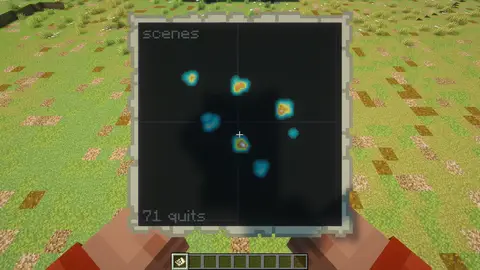
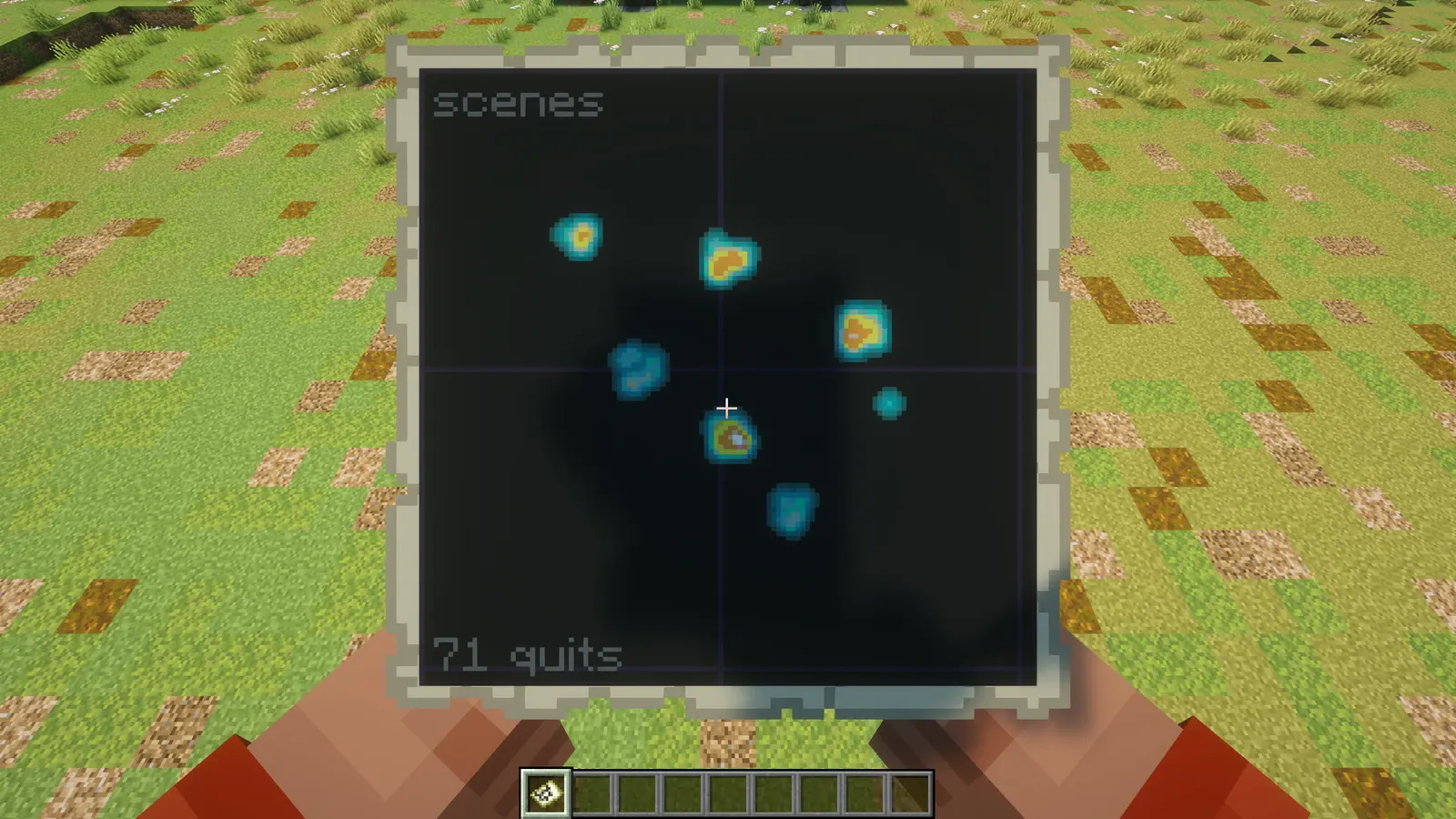
- The spots new players stood on when they left, busiest first, with a teleport button and a heatmap map item
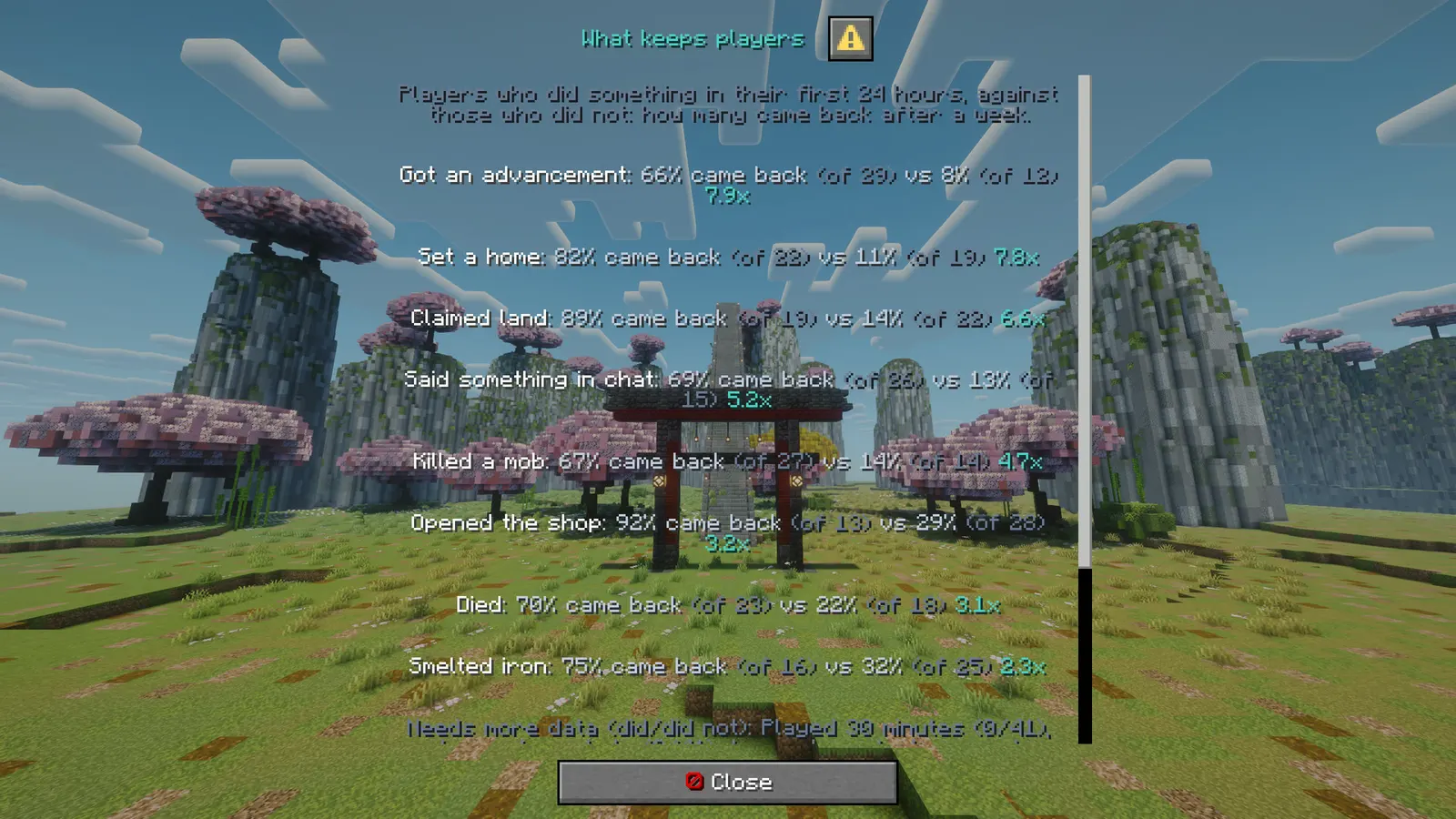
- "Players who set a home in their first day came back after a week 3x as often": comparisons computed from your own players, with the sample size shown
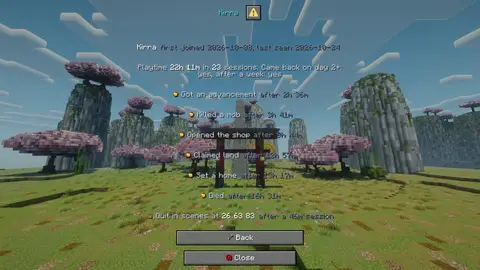
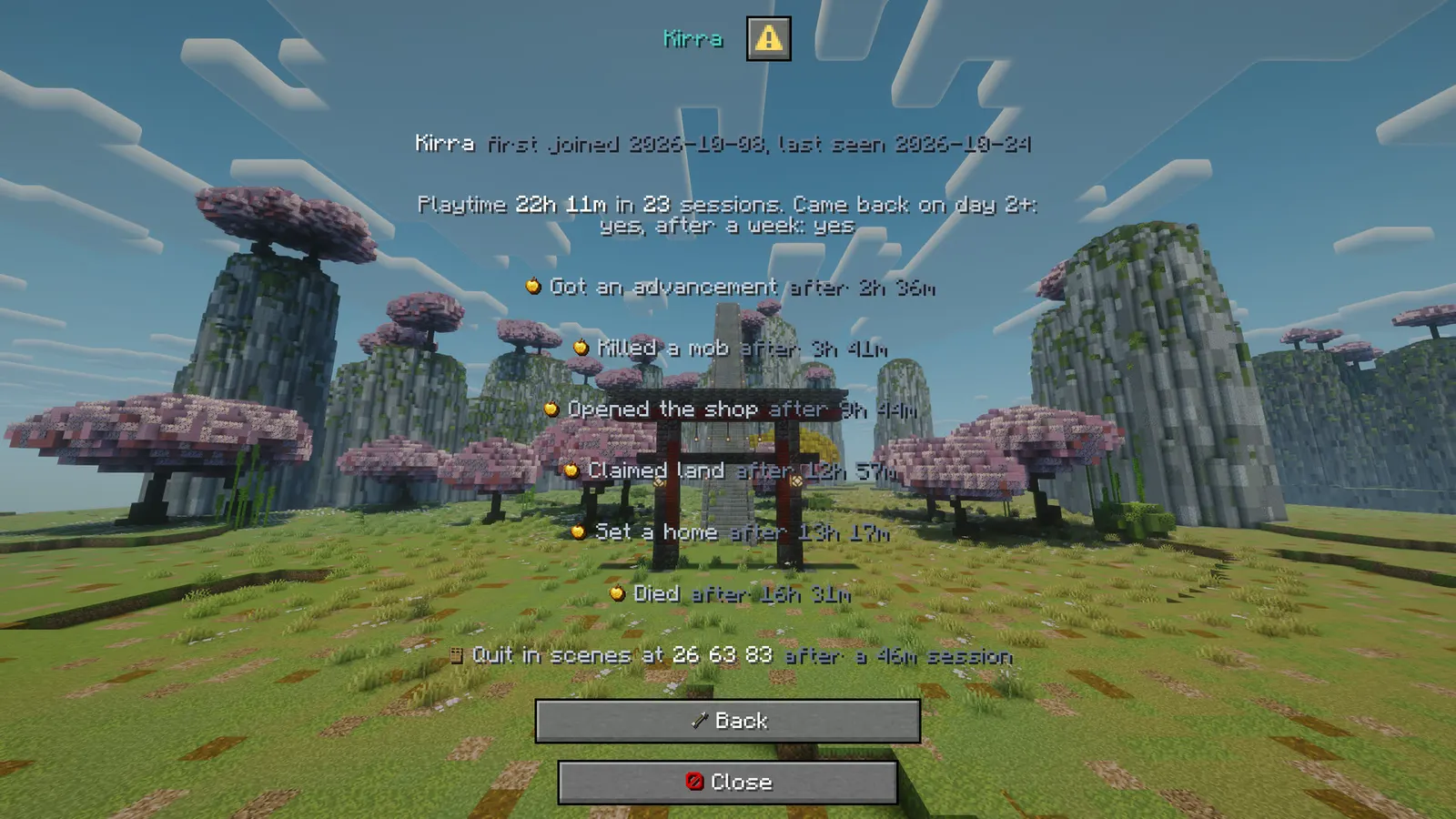
- One player's whole journey: first join, sessions, milestones and where they quit
- A CSV export of everything for your own spreadsheets
- Name in /plugins
RetentionLens- Latest version
- 1.0.0
- Runs on
- Paper or Purpur, Java 21
- BuiltByBit
- Coming soon
What changed in 1.0.0
- Follows every new player from their first join: sessions, playtime, milestones and where they quit.
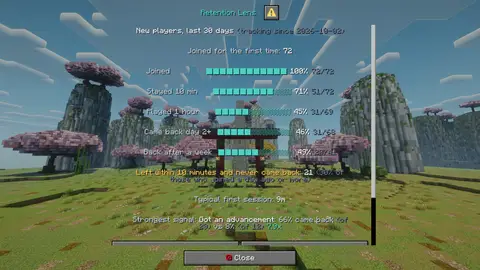
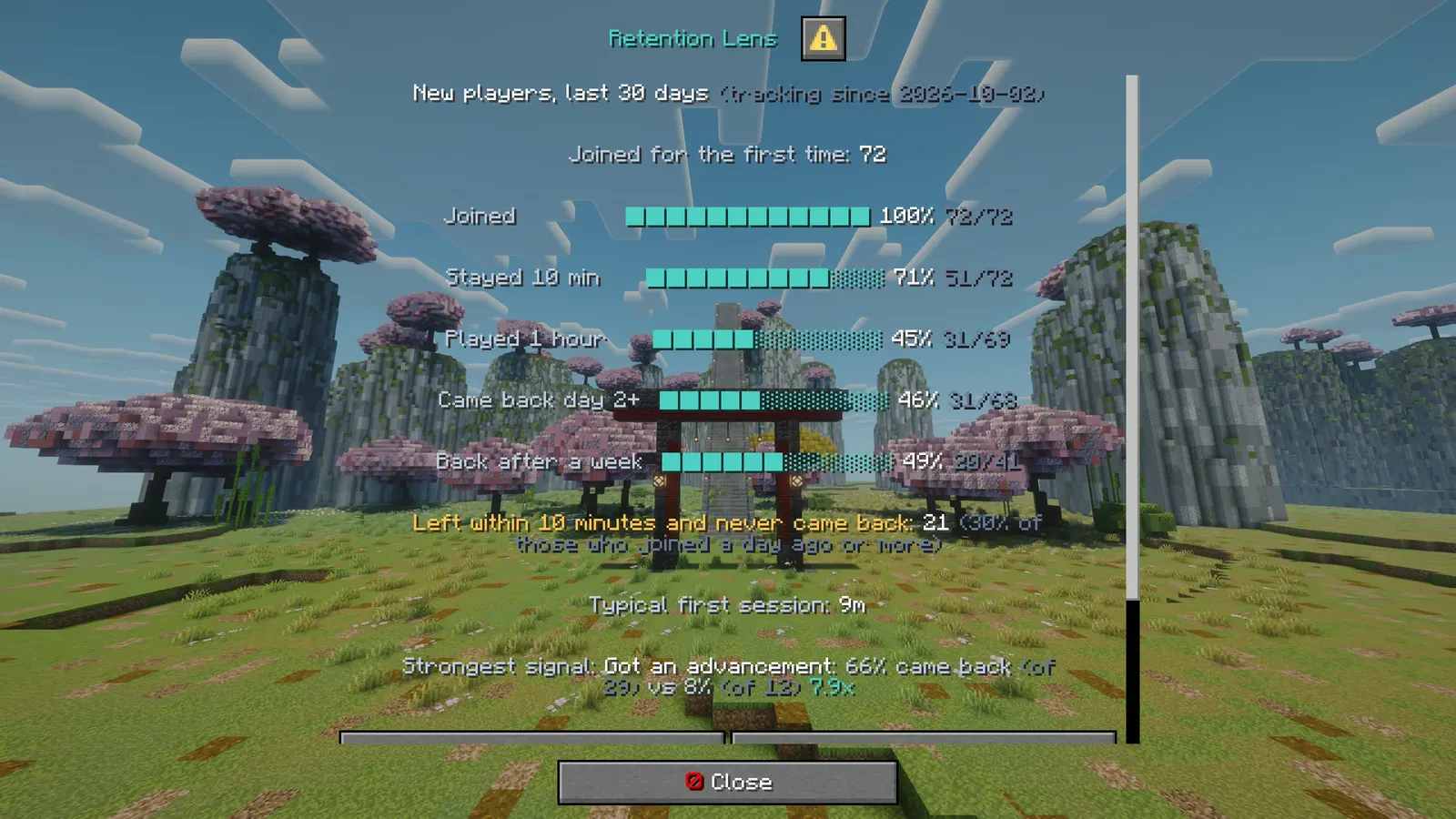
- Overview: the funnel from first join to back after a week, players who left within 10 minutes, the typical first session.
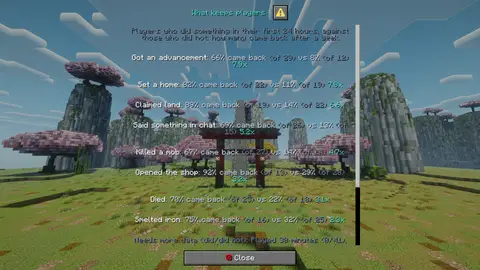
- What keeps players: milestones in the first day compared with who came back after a week, with sample sizes.
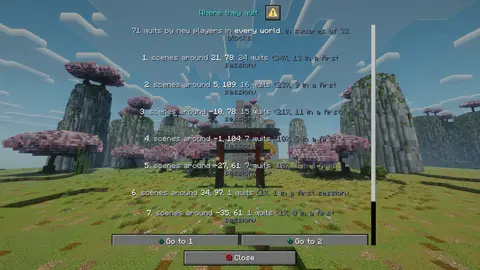
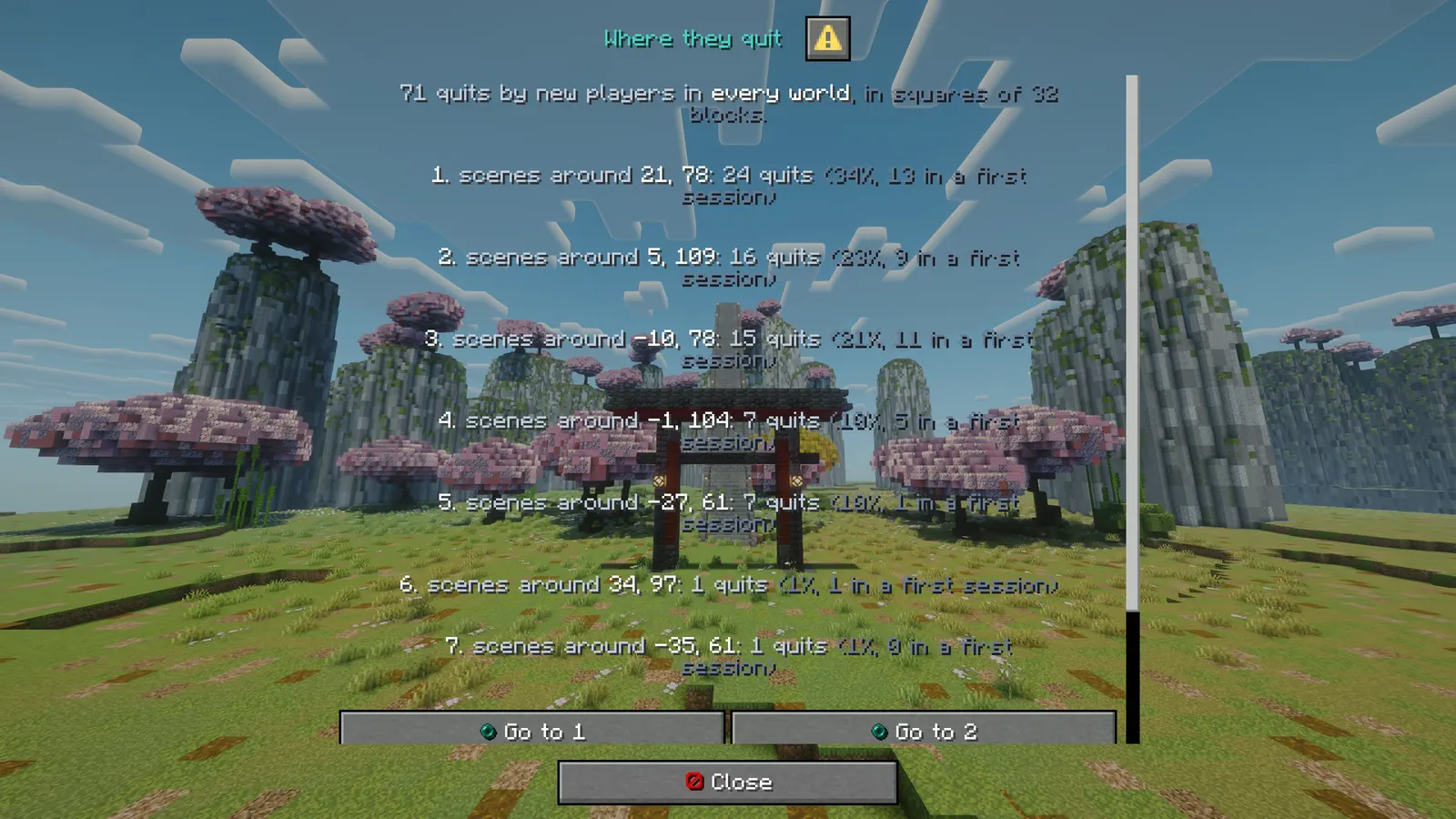
- Where they quit: hotspots per world with teleport buttons, and a heatmap map item.
- One player's journey, CSV export, and /retentionlens milestone for other plugins.
Features
01What makes it different
- Honest numbers: every stage only counts players old enough to have reached it. A busy last day never drags your week down, and a player who joined an hour ago is not counted as "never came back"
- Comparisons only use what a player did in their first 24 hours (you can change the window), so long-time players do not make every milestone look magical. Below a minimum sample the screen says "needs more data" instead of guessing
- Players who joined before you installed it are left out of the charts, because their first days were never seen
- Privacy: no IP address is ever read or stored, everything stays in one SQLite file on your server, and names can be switched off
02What you get
- Overview in a native dialog: new players in the window (7, 14, 30, 90 or 365 days), the funnel (joined, stayed 10 minutes, played an hour, came back on day 2 or later, back after a week), how many left within 10 minutes and never came back, the typical first session and the strongest signal
- Funnel and playtime: every stage with its sample, and how long new players play in total, in six buckets
- What keeps players: each milestone done in the first day against not done, with how many in each group came back after a week
- Where they quit: quit positions grouped into squares (32 blocks by default), per world or all worlds, how many of them happened in a first session, and a teleport button for each
- Heatmap map item: a map of a world, brighter where more new players quit
- Milestones you choose: first mob kill, first player kill, first death, first chat message, any or one specific advancement, a command (claim, sethome, shop), a playtime goal, or any milestone another plugin records with
/retentionlens milestone <player> <id>(a store purchase, a quest, a tutorial step) - Works with First-Join Tour: every tour step is recorded as a milestone automatically, so you can see whether finishing the tour keeps players
- CSV export: players with every milestone date, and every quit position
- Every word is yours: all messages and buttons in config.yml, in MiniMessage, with one colour theme
Installation
Requirements
- Server
- Paper, or a Paper fork such as Purpur. Spigot and CraftBukkit won't work, because it uses Paper-only APIs.
- Minecraft
- plugin.yml api-version 1.21; built against Paper API 1.21.11
- Java
- 21 or newer
- Needs
- No other plugin
- Works with
- Nothing optional
- Libraries
org.xerial:sqlite-jdbc:3.53.2.1, downloaded by the server on first start
Steps
- Download
RetentionLens.jarfrom BuiltByBit. There's no licence key to enter. - Stop the server and put the jar in the
pluginsfolder. - Start the server. The plugin writes
plugins/RetentionLens/config.ymlwith the defaults listed under Configuration. - Change
config.ymlto fit your server. - Run
/retentionlens reload(read config.yml again) to apply your changes, or restart the server.
Commands
Straight from plugin.yml. Where the permission column says "not set", plugin.yml puts no permission on the command itself; the nodes the plugin checks are under Permissions.
| Command | Aliases | Usage | What it does | Permission |
|---|---|---|---|---|
/retentionlens | /rlens /retention | /retentionlens [open|funnel|insights|quits|heatmap|player|export|milestone|reload|help] | Open the Retention Lens overview, or run one of its tools. | not set |
Every subcommand
/retentionlens                        The overview (aliases: /rlens, /retention)
/retentionlens funnel                 The funnel and the playtime buckets
/retentionlens insights               What keeps players
/retentionlens quits                  Where new players quit
/retentionlens heatmap [world]        A heatmap map item
/retentionlens player <name>          One player's journey
/retentionlens export [days]          CSV export (works from the console)
/retentionlens milestone <player> <id>  Record a milestone (console, other plugins, store webhooks)
/retentionlens reload                 Read config.yml again
Permissions
From plugin.yml.
| Node | Default | What it allows | Includes |
|---|---|---|---|
retentionlens.view | operators | Open the overview, the funnel, the insights, the quit list and the player screen. | none |
retentionlens.heatmap | operators | Get the quit heatmap as a map item. | none |
retentionlens.teleport | operators | Teleport to a quit hotspot from the quit screen. | none |
retentionlens.export | operators | Export the data as CSV files. | none |
retentionlens.admin | operators | Record milestones by command and reload the config. | retentionlens.view retentionlens.heatmap retentionlens.teleport retentionlens.export |
Placeholders
This plugin doesn't add any PlaceholderAPI placeholders.
Configuration
The default files exactly as they ship in the jar, comments included. The plugin writes them to plugins/RetentionLens/ the first time it starts.
config.yml
| Key | Default | The comment above it |
|---|---|---|
quits | section, 4 keys | What counts as a quit worth mapping. |
milestones | section, 11 keys | The first time a player does one of these, it is stored with the time. The insights screen compares players who did a milestone in their first day with those who did not. Types: |
charts | section, 1 key | none |
insights | section, 2 keys | none |
heatmap | section, 1 key | none |
data | section, 2 keys | none |
format | section, 1 key | none |
debug | false | Logs every milestone to the console. For setting up command matches. |
theme | section, 12 keys | none |
messages | section, 89 keys | none |
plugins/RetentionLens/config.yml299 lines
# Retention Lens by Frostyh: where and why new players leave your server.
#
#   /retentionlens (or /rlens) opens the overview: the funnel from first join to day 7, how long
#   new players play, where they stood when they quit, and which first steps go with players who
#   stay. Staff only (retentionlens.view).
#
# Privacy: no IP address is ever read or stored. Names are kept for the staff screens (switch that
# off under data.store-names). Everything lives in plugins/RetentionLens/retention.db on your own
# server; nothing is sent anywhere.
#
# Players who first joined BEFORE you installed Retention Lens are left out of every chart, because
# their first days were never seen. The charts fill up as new players arrive.
#
# Text is MiniMessage, written against the theme colours (<accent>, <text>, <muted>, ...).
# Updating: keys added in a new version work straight away, even with an older config.yml.

# ============================================================================
#  ███ ███   ██   ███ █  █ ███ █   █  ███
#   █  █  █ █  █ █    █ █   █  ██  █ █
#   █  ███  ████ █    ██    █  █ █ █ █ ██
#   █  █ █  █  █ █    █ █   █  █  ██ █  █
#   █  █  █ █  █  ███ █  █ ███ █   █  ███
# ============================================================================
# What counts as a quit worth mapping.
quits:
  # Quit positions are recorded for a player's first this-many days. 0 records every quit.
  track-days: 14
  # Worlds whose quits are never recorded (lobbies you send everyone to, for example).
  ignored-worlds: []
  # The quit screen groups quits into squares of this many blocks.
  cell-size: 32
  # How many squares the quit screen lists.
  top: 8

# ============================================================================
#  █   █ ███ █    ████  ███ ███  ██  █   █ ████  ███
#  ██ ██  █  █    █    █     █  █  █ ██  █ █    █
#  █ █ █  █  █    ███   ██   █  █  █ █ █ █ ███   ██
#  █   █  █  █    █       █  █  █  █ █  ██ █       █
#  █   █ ███ ████ ████ ███   █   ██  █   █ ████ ███
# ============================================================================
# The first time a player does one of these, it is stored with the time. The insights screen
# compares players who did a milestone in their first day with those who did not.
#
# Types:
#   kill-player   killed another player           kill-mob   killed a mob
#   death         died                            chat       sent a chat message
#   advancement   got an advancement: "advancement" names one key, empty means any (recipes never count)
#   command       ran a command starting with one of "match" ("/claim" matches "/claim 10", not "/claimlist")
#   playtime      reached "minutes" of total playtime
# Any other plugin can record its own milestone with:
#   /retentionlens milestone <player|uuid> <id>
# for example from a store or a quest plugin. Give it a label here to show a nicer name.
milestones:
  first-mob-kill:
    type: kill-mob
    label: "Killed a mob"
  first-player-kill:
    type: kill-player
    label: "Killed a player"
  first-death:
    type: death
    label: "Died"
  first-chat:
    type: chat
    label: "Said something in chat"
  first-advancement:
    type: advancement
    advancement: ""
    label: "Got an advancement"
  smelted-iron:
    type: advancement
    advancement: "minecraft:story/smelt_iron"
    label: "Smelted iron"
  claimed-land:
    type: command
    match: ["/claim", "/rg claim", "/f claim"]
    label: "Claimed land"
  set-home:
    type: command
    match: ["/sethome"]
    label: "Set a home"
  opened-shop:
    type: command
    match: ["/shop", "/ah", "/auction"]
    label: "Opened the shop"
  played-30m:
    type: playtime
    minutes: 30
    label: "Played 30 minutes"
  # A milestone recorded by another plugin through the command above:
  first-purchase:
    type: external
    label: "Bought something in the store"

# ============================================================================
#   ███ █  █  ██  ███  ███  ███
#  █    █  █ █  █ █  █  █  █
#  █    ████ ████ ███   █   ██
#  █    █  █ █  █ █ █   █     █
#   ███ █  █ █  █ █  █  █  ███
# ============================================================================
charts:
  # The window the screens look at by default, in days. Staff can switch between 7, 14, 30, 90
  # and 365 on the overview.
  window-days: 30

# ============================================================================
#  ███ █   █  ███ ███  ███ █  █ ███  ███
#   █  ██  █ █     █  █    █  █  █  █
#   █  █ █ █  ██   █  █ ██ ████  █   ██
#   █  █  ██    █  █  █  █ █  █  █     █
#  ███ █   █ ███  ███  ███ █  █  █  ███
# ============================================================================
insights:
  # A milestone counts for "did it" when it happened within this many hours of the first join.
  # Counting it at any time would flatter every milestone: players who stay longer simply have
  # more time to do everything.
  within-hours: 24
  # Both groups need at least this many players before a comparison is shown. Below it, the
  # milestone is listed as "needs more data" with both counts.
  min-sample: 15

# ============================================================================
#  █  █ ████  ██  ███ █   █  ██  ███
#  █  █ █    █  █  █  ██ ██ █  █ █  █
#  ████ ███  ████  █  █ █ █ ████ ███
#  █  █ █    █  █  █  █   █ █  █ █
#  █  █ ████ █  █  █  █   █ █  █ █
# ============================================================================
heatmap:
  # Blocks of empty space around the outermost quit on the map item.
  padding: 32

# ============================================================================
#  ███   ██  ███  ██
#  █  █ █  █  █  █  █
#  █  █ ████  █  ████
#  █  █ █  █  █  █  █
#  ███  █  █  █  █  █
# ============================================================================
data:
  # Keep names for the staff screens and the CSV export. false stores a short id instead.
  store-names: true
  # Sessions and quit positions older than this many days are deleted at startup. 0 keeps all.
  keep-days: 365

format:
  # How dates are written on the screens (Java DateTimeFormatter pattern).
  date: "yyyy-MM-dd"

# Logs every milestone to the console. For setting up command matches.
debug: false

# ============================================================================
#  ███ █  █ ████ █   █ ████
#   █  █  █ █    ██ ██ █
#   █  ████ ███  █ █ █ ███
#   █  █  █ █    █   █ █
#   █  █  █ ████ █   █ ████
# ============================================================================
theme:
  accent: "#4fd1c5"     # headings and anything staff are meant to click
  accent2: "#9be8df"    # a lighter accent, for a second level of emphasis
  title: "#f4f7ff"      # screen titles
  text: "#c2ccdd"       # ordinary prose
  muted: "#6b7a94"      # hints, separators, anything the eye should skip
  value: "#ffffff"      # the numbers the screen exists to show
  good: "#57e08a"
  warn: "#ffc857"
  bad: "#ff6b6b"
  small-caps: false
  # Real Minecraft item pictures beside the buttons, from the client's own textures: no resource
  # pack. Needs a 1.21.9 or newer client; older ones see the words only.
  item-icons: true
  # A short sound on every click, open and result.
  sounds: true

# ============================================================================
#  █   █ ████  ███  ███  ██   ███ ████  ███
#  ██ ██ █    █    █    █  █ █    █    █
#  █ █ █ ███   ██   ██  ████ █ ██ ███   ██
#  █   █ █       █    █ █  █ █  █ █       █
#  █   █ ████ ███  ███  █  █  ███ ████ ███
# ============================================================================
messages:
  prefix: "<accent><bold>Retention</bold></accent> <muted>»</muted> "

  # ---- general ----
  no-permission: "<bad>You cannot do that.</bad>"
  players-only: "<bad>Only players can open the screens. The console can use export and milestone.</bad>"
  usage: "<text>Usage: </text><value>{usage}</value>"
  reloaded: "<good>Reloaded.</good> <muted>{count} milestones.</muted>"
  menu-error: "<bad>That screen could not load. The console has the details.</bad>"
  menu-back: "<white><icon:back></white>Back"
  menu-close: "<white><icon:close></white>Close"
  yes: "<good>yes</good>"
  "no": "<muted>no</muted>"

  # ---- overview ----
  title-overview: "<accent>Retention Lens</accent>"
  overview-head: "<title>New players, last {days} days</title> <muted>(tracking since {since})</muted>"
  overview-empty: "<text>No new players in this window yet. The charts fill up as players join for the first time.</text>"
  overview-cohort: "<text>Joined for the first time: </text><value>{count}</value>"
  stage-line: "<text>{stage}</text>  <accent>{bar}</accent> <value>{pct}</value> <muted>{reached}/{eligible}</muted>"
  stage-wait: "<text>{stage}</text>  <muted>not measurable yet: nobody in this window is old enough</muted>"
  stage-joined: "Joined          "
  stage-stayed-10m: "Stayed 10 min   "
  stage-played-1h: "Played 1 hour   "
  stage-day-2: "Came back day 2+"
  stage-day-7: "Back after a week"
  overview-quick: "<warn>Left within 10 minutes and never came back:</warn> <value>{count}</value> <muted>({pct} of those who joined a day ago or more)</muted>"
  overview-median: "<text>Typical first session: </text><value>{time}</value>"
  overview-top-insight: "<text>Strongest signal:</text> {line}"
  menu-funnel: "<white><icon:funnel></white>Funnel and playtime"
  menu-funnel-tip: "Every stage with its sample, and how long new players play in total"
  menu-insights: "<white><icon:insight></white>What keeps players"
  menu-insights-tip: "Milestones in the first day, compared with who came back after a week"
  menu-quits: "<white><icon:quit></white>Where they quit"
  menu-quits-tip: "The spots new players stood on when they left, busiest first"
  menu-player: "<white><icon:player></white>One player's journey"
  menu-player-tip: "First join, sessions, milestones and quit spots of one player"
  menu-heatmap: "<white><icon:heatmap></white>Heatmap map (this world)"
  menu-heatmap-tip: "A map item: brighter where more new players quit"
  menu-export: "<white><icon:export></white>Export CSV"
  menu-export-tip: "Writes players and quit positions to plugins/RetentionLens/exports/"
  menu-window: "<white><icon:time></white>Window: {days} days"
  menu-window-tip: "Switch between 7, 14, 30, 90 and 365 days"
  menu-help: "<white><icon:help></white>How to read this"

  # ---- funnel ----
  title-funnel: "<accent>Funnel and playtime</accent>"
  funnel-intro: "<muted>Each stage counts only players old enough to have reached it: day 2 needs a first join at least 2 days ago, a week needs 8 days.</muted>"
  buckets-head: "<title>Total playtime of new players</title>"
  bucket-line: "<text>{bucket}</text>  <accent>{bar}</accent> <value>{count}</value> <muted>{pct}</muted>"
  bucket-under-5m: "under 5 min "
  bucket-5-15m: "5 to 15 min "
  bucket-15-60m: "15 to 60 min"
  bucket-1-3h: "1 to 3 hours"
  bucket-3-10h: "3 to 10 h   "
  bucket-10h-plus: "10 h or more"

  # ---- insights ----
  title-insights: "<accent>What keeps players</accent>"
  insights-intro: "<muted>Players who did something in their first {hours} hours, against those who did not: how many came back after a week.</muted>"
  insight-line: "<value>{milestone}</value><text>: {did} came back</text> <muted>(of {didn})</muted><text> vs {not}</text> <muted>(of {notn})</muted> <accent>{times}</accent>"
  insight-only-them: "only they did"
  insights-none: "<text>No milestone has {min} players on both sides yet. The comparisons appear as the data grows.</text>"
  insights-waiting: "<muted>Needs more data (did/did not): {list}</muted>"
  insights-caveat: "<muted>These show what goes together, not what causes what. A strong signal is the place to test a change first.</muted>"

  # ---- quits ----
  title-quits: "<accent>Where they quit</accent>"
  quits-intro: "<text>{count} quits by new players in </text><value>{world}</value><muted>, in squares of {cell} blocks.</muted>"
  quits-all-worlds: "every world"
  quits-empty: "<text>No quits recorded in this window yet.</text>"
  quits-line: "<value>{n}.</value> <text>{world} around</text> <value>{x}, {z}</value><text>: {count} quits</text> <muted>({share}, {first} in a first session)</muted>"
  quits-go: "<white><icon:teleport></white>Go to {n}"
  quits-go-tip: "Teleport to the middle of that square"
  quits-world: "<white><icon:world></white>World: {world}"
  quits-world-tip: "Show one world at a time"
  world-missing: "<bad>There is no world called {world}.</bad>"

  # ---- heatmap ----
  heatmap-empty: "<text>No quits recorded in {world} in this window.</text>"
  heatmap-item-name: "<accent>Quit heatmap: {world}</accent>"
  heatmap-given: "<good>Here is the heatmap of {world}</good> <muted>({count} quits; brighter means more).</muted>"

  # ---- one player ----
  title-player: "<accent>One player's journey</accent>"
  player-intro: "<text>Type a name of a player who has joined since Retention Lens was installed.</text>"
  player-input: "Player name"
  player-find: "<white><icon:insight></white>Show"
  player-unknown: "<bad>No player called {name} is in the data.</bad>"
  title-journey: "<accent>{name}</accent>"
  journey-head: "<title>{name}</title> <muted>first joined {first}, last seen {seen}</muted> {online}"
  journey-online: "<good>online now</good>"
  journey-legacy: "<muted>Joined before tracking started, so this player is not in the charts.</muted>"
  journey-totals: "<text>Playtime </text><value>{playtime}</value><text> in </text><value>{sessions}</value><text> sessions. Came back on day 2+: {day2}, after a week: {day7}</text>"
  journey-no-milestones: "<muted>No milestones yet.</muted>"
  journey-milestone: "<white><icon:milestone></white><text>{milestone}</text> <muted>after {after}</muted>"
  journey-quit: "<white><icon:quit></white><text>Quit in {world} at</text> <value>{x} {y} {z}</value> <muted>after a {session} session</muted>"

  # ---- export and milestones ----
  export-started: "<text>Exporting...</text>"
  export-done: "<good>Exported {rows} players.</good> <muted>plugins/RetentionLens/exports/{players} and {quits}</muted>"
  export-failed: "<bad>The export could not be written. The console has the details.</bad>"
  milestone-bad-id: "<bad>A milestone id is 1 to 48 characters: lower case letters, digits and _ : . -</bad>"
  milestone-recorded: "<good>Recorded {id} for {player}</good> <muted>(only the first time counts).</muted>"

  # ---- help ----
  title-help: "<accent>How to read Retention Lens</accent>"
  help-lines:
    - "<title>The funnel</title> <text>follows everyone who joined for the first time in the window: did they stay 10 minutes, play an hour, come back on day 2 or later, come back after a week.</text>"
    - "<text>A stage only counts players old enough to have reached it, so a busy last day never drags the week down.</text>"
    - "<title>Left within 10 minutes</title> <text>is the number to watch first: these players never really saw your server.</text>"
    - "<title>Where they quit</title> <text>shows the spots new players stood on when they left. A spawn, a tutorial or a confusing first area usually tops the list.</text>"
    - "<title>What keeps players</title> <text>compares players who did a milestone in their first day with those who did not. It shows what goes together, not proof of what causes what.</text>"
    - "<muted>Commands: /rlens, /rlens funnel, /rlens insights, /rlens quits, /rlens heatmap [world], /rlens player <name>, /rlens export [days], /rlens milestone <player> <id>, /rlens reload</muted>"
FAQ
Which servers and versions does it run on?
It needs Paper or a Paper fork like Purpur, because it uses Paper-only APIs (the dialog API for its menus, Adventure text components). Spigot and CraftBukkit won't work. plugin.yml declares api-version 1.21, the jar is built against Paper API 1.21.11, and it needs Java 21 or newer.
Does it need other plugins?
No, it runs without any other plugin (plugin.yml has no hard dependencies). On first start the server downloads org.xerial:sqlite-jdbc:3.53.2.1, so it needs internet access then.
How do I apply config changes?
Edit plugins/RetentionLens/config.yml and run /retentionlens reload (read config.yml again). Restarting works too.
Does it run on Folia, or for Bedrock players?
I haven't tested it on Folia, and plugin.yml doesn't declare folia-supported. I haven't tested Bedrock players through Geyser either.
What licence do I get?
The BuiltByBit EULA shown on the listing. There's no licence key to enter, and the plugin never contacts a licence server.
Links
- BuiltByBit
- Listing coming soon
- Support
- discord.gg/KG4ubAZEuw
- Everything
- The Complete Collection on BuiltByBit
- More plugins
- All my plugins
- Custom work
- Commissions