 Frostyh

Overview
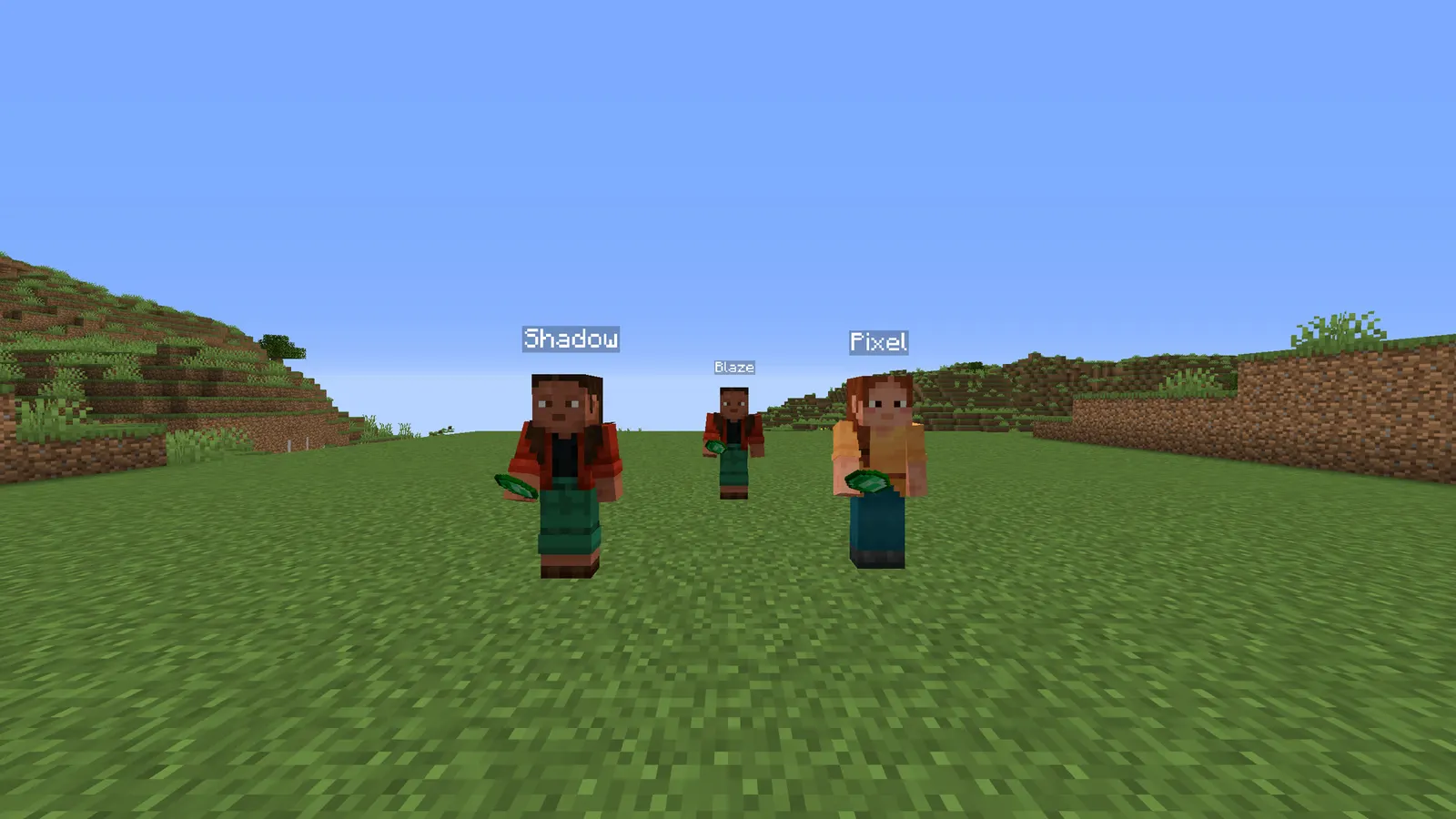
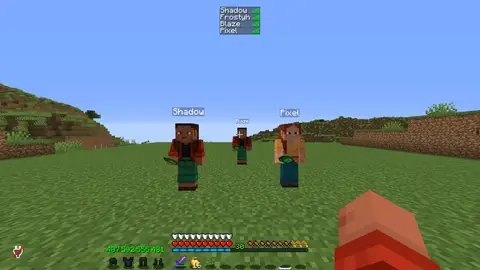
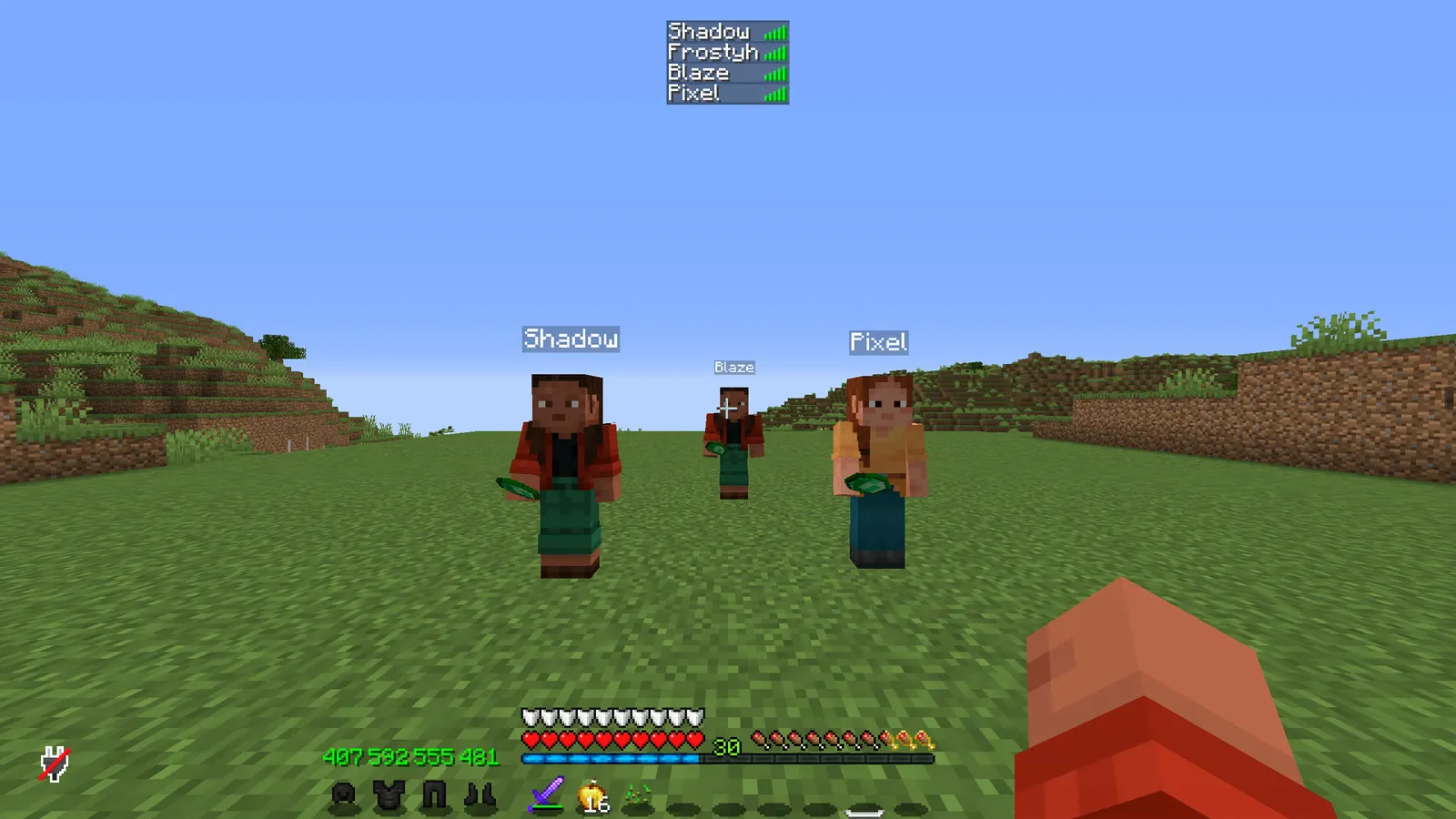
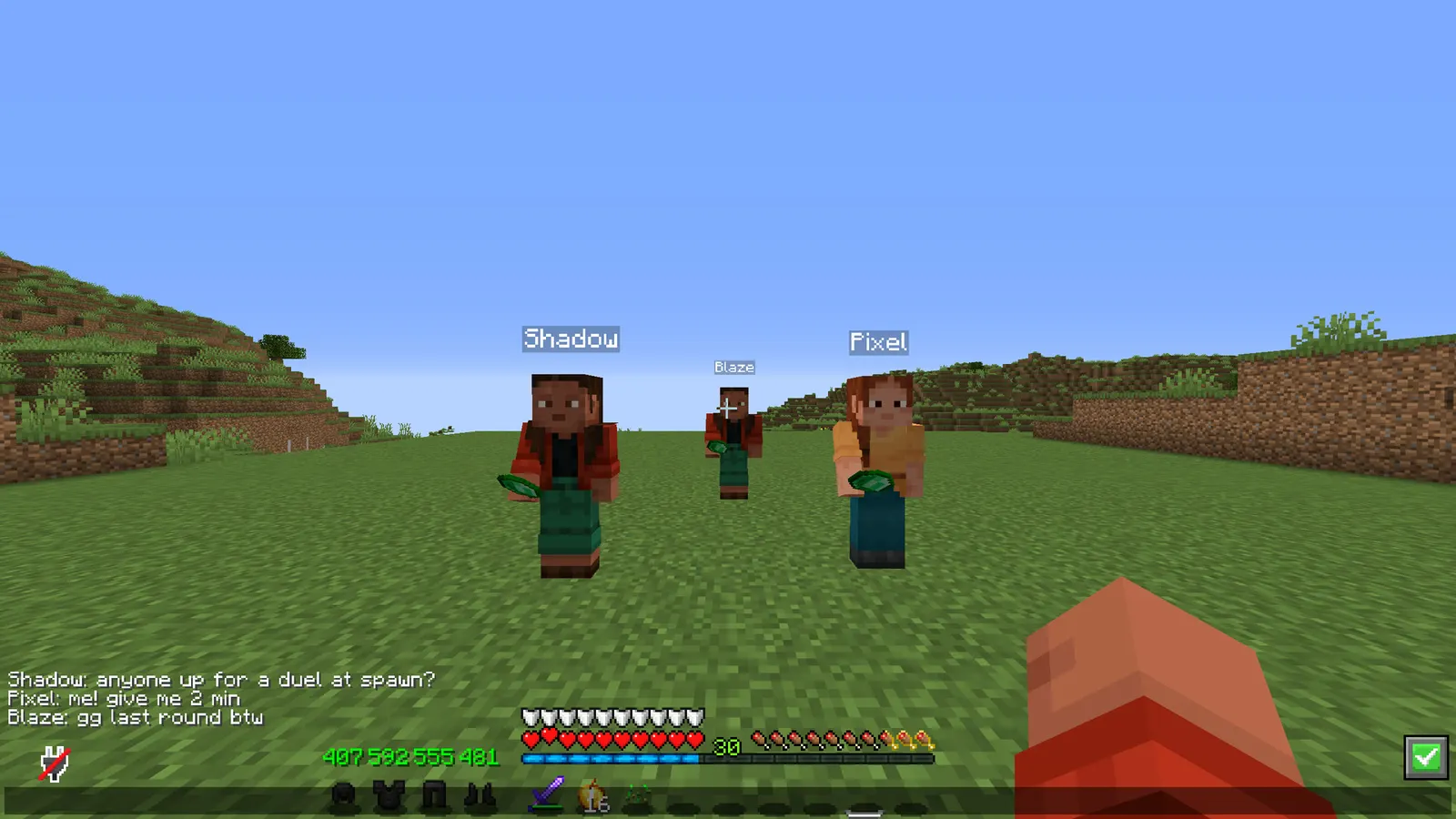
Nicknames that change chat, tab and the name above the head, with the matching skin
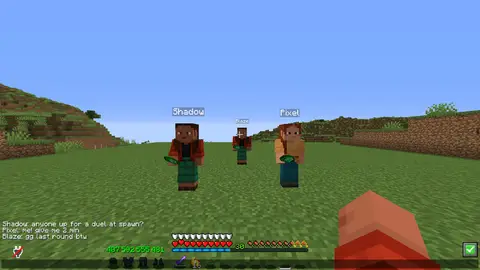
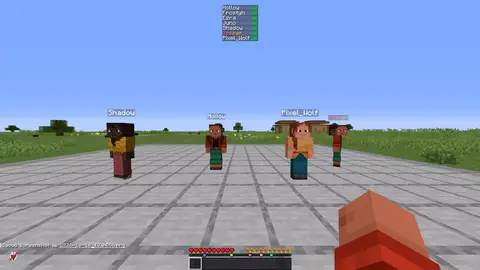
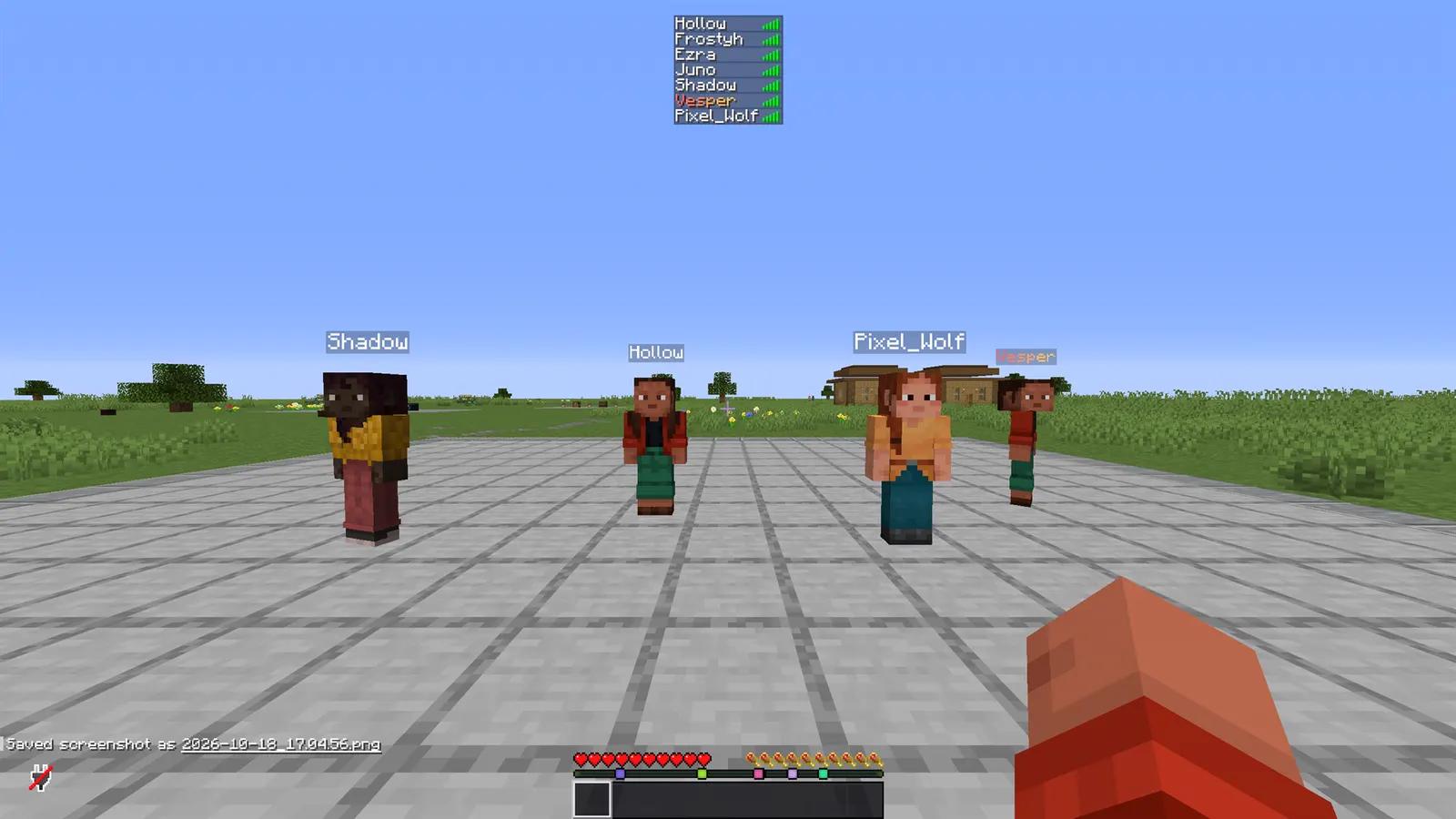
Most nickname plugins change the name in chat and forget the tab list, or change the tab list and leave the real name floating above the player's head. Alias changes all three, brings the matching skin with it, and keeps staff able to see who is who.
In short
- One nickname everywhere: chat, tab list and nametag
- The skin changes with it
- Staff can always see the real name
- Nicknames are validated and kept after a restart
- PlaceholderAPI support
- Latest version
- 1.2.0
- Runs on
- Paper or Purpur 1.21.11 (or newer 1.21.x), Java 21
- BuiltByBit
- Alias on BuiltByBit
What changed in 1.2.0
- New: a cooldown on name changes. Set cooldown-seconds in config.yml and players wait that long between changing their own nickname or skin, by command or on the /nick screen. It is 0 (off) unless you set it. Taking a nickname off is always allowed, and staff changing somebody else never wait.
- New permission: alias.cooldown.bypass (default: op) skips the cooldown.
- New PlaceholderAPI placeholders for tab and scoreboard plugins that cannot read MiniMessage: %alias_nick_formatted% (the nickname with its colours, gradients included) and %alias_display% / %alias_display_formatted% (the name as shown in chat, after format:). The existing %alias_nick%, %alias_nick_raw%, %alias_real%, %alias_nicked% and %alias_skin% are unchanged.
- Tab completion for /skin (reset and player names), /unnick (nicked players, for staff) and /alias reload.
- Fixed: /nick <player> <name> for a player who is not online nicked you as that player's name. It now says the player is unknown.
Features
01What makes it different
- Chat, tab list and the name above the head change together, and the skin changes with them
- Skins go through Paper's profile API: no ProtocolLib needed
- Staff always see the real name with /realname and /nicklist, and join and leave messages use the nickname so the real one never leaks
02What you get
- New in v1.3.0: Name change cooldown: set cooldown-seconds and players wait between nickname or skin changes; alias.cooldown.bypass skips it
- New in v1.3.0: More placeholders: %alias_nick_formatted% and %alias_display% for tab and scoreboard plugins that cannot read MiniMessage
- Everywhere at once: chat, tab list and the name above the head, all from one command
- Skins follow the nickname: /nick Notch also puts that skin on, fetched off the main thread so nothing freezes
- Validation that means something: length, an allowed-characters pattern, a blacklist, and a check that the name is not already taken by a nickname or a real account
- Colours behind a permission: MiniMessage gradients for ranks that paid for them, plain names for everyone else
- Random nicknames: /nick random from a name pool, and optional auto-nick on join for a permission group
- Staff always know: /realname, /nicklist, and a quiet notice when somebody nicks
- Persistent: nicknames survive restarts, and reapply the moment the player joins
- Join and leave messages use the nickname, so the real name never leaks
- PlaceholderAPI: %alias_nick%, %alias_real%, %alias_nicked%, %alias_skin%
- Everything the plugin says is in the config, in MiniMessage
03The nickname screen
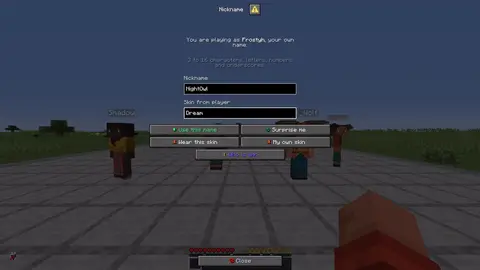
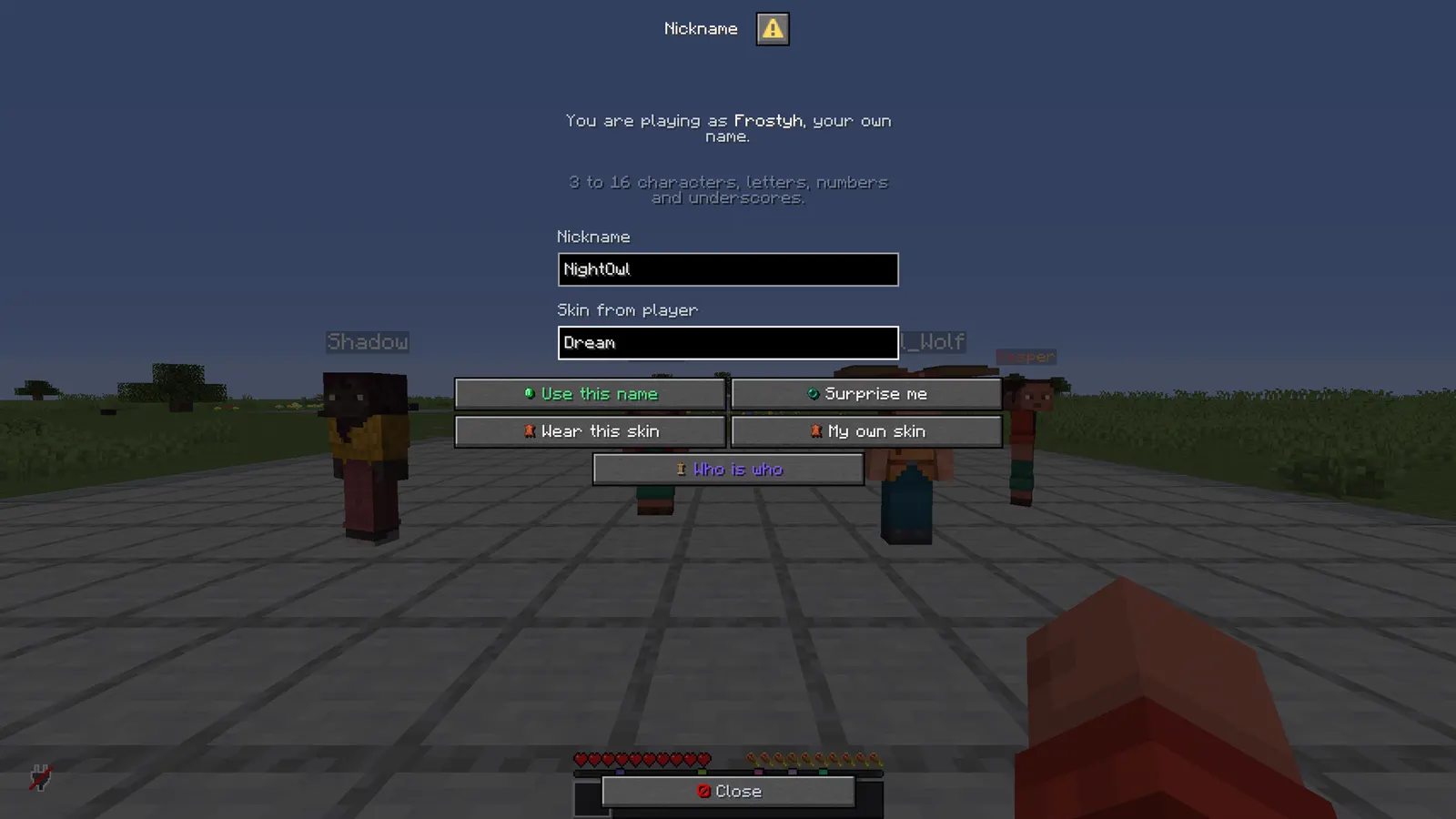
- /nick on its own opens a real Minecraft dialog window, not a chest full of icons: a field for the name, a field for the skin, and buttons for a random name, your own name back and your own skin back
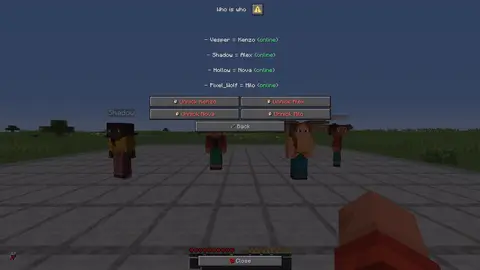
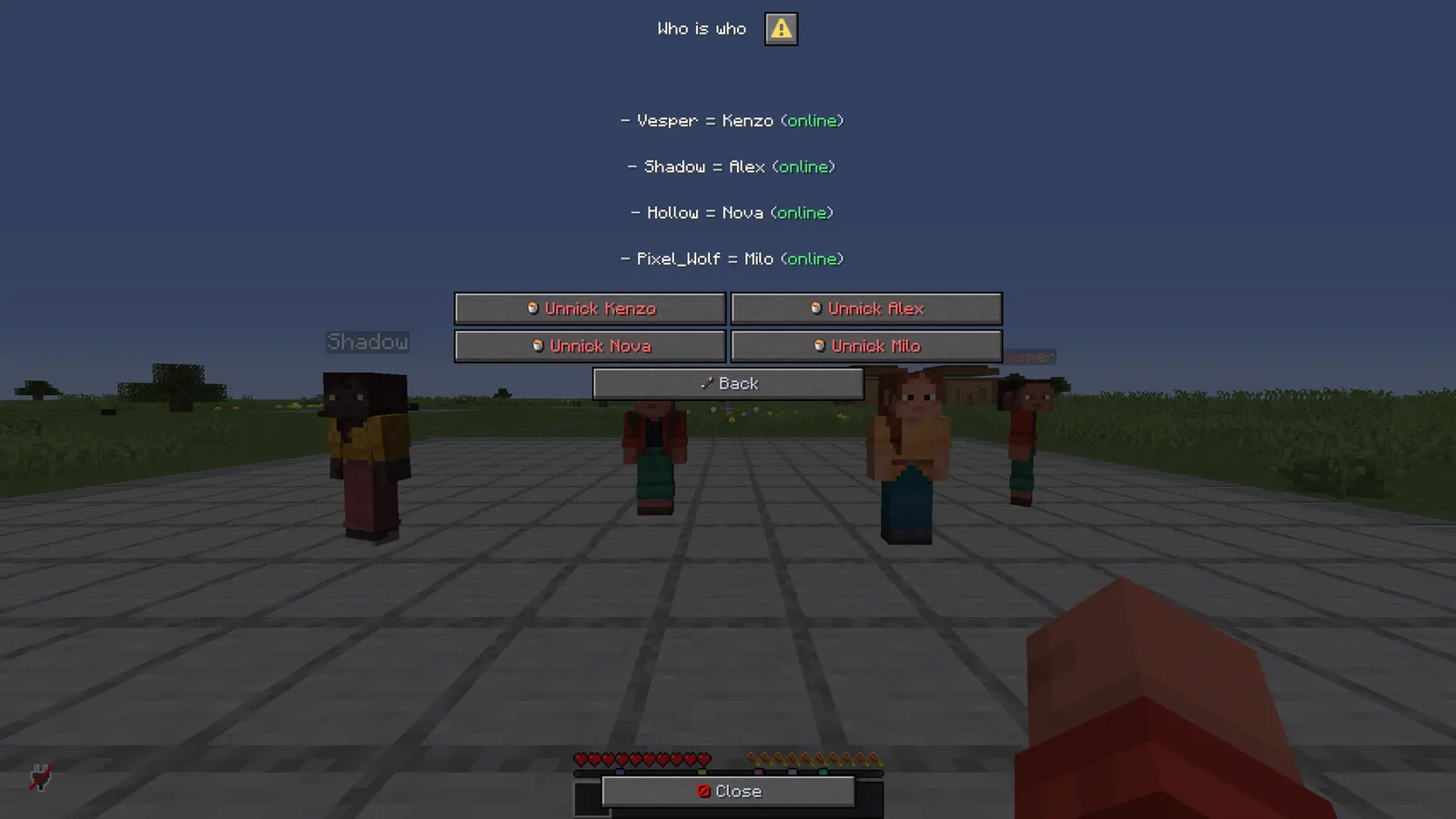
- Staff get a who is who screen in the same window: every nickname in use, and one click to take one off somebody online
- It runs the same validation and prints the same messages as the commands, so nothing behaves differently depending on how it was opened
- Every label and tooltip on it is in config.yml, in MiniMessage, like the rest of the text
menu: falseputs the plain help line back if you would rather have the commands only
Installation
Requirements
- Server
- Paper, or a Paper fork such as Purpur. Spigot and CraftBukkit won't work, because it uses Paper-only APIs.
- Minecraft
- 1.21.11 (or newer 1.21.x); plugin.yml api-version 1.21; built against Paper API 1.21.11
- Java
- 21 or newer
- Needs
- No other plugin
- Works with
PlaceholderAPI, when installed
The listing also says:
- PlaceholderAPI optional. No ProtocolLib needed: skins use the Paper profile API.
- No DRM, no licence key and no licence server; the code is not obfuscated
Steps
- Download
Alias.jarfrom BuiltByBit. There's no licence key to enter. - Stop the server and put the jar in the
pluginsfolder. - Start the server. The plugin writes
plugins/Alias/config.ymlwith the defaults listed under Configuration. - Change
config.ymlto fit your server. - Run
/alias reload(reload the config) to apply your changes, or restart the server.
Setup guide
- Drop Alias.jar into /plugins and restart.
- Decide who may use colours: give alias.color to the ranks you sell it with.
- Give your staff alias.see and alias.others.
- That is the whole setup. Players run /nick <name>.
SMP and survival: let players rename themselves as a rank perk, with colours reserved for donors.
PvP and practice: /nick random plus the skin makes an anonymous queue, useful for staff testing or for players who do not want to be targeted.
Networks: staff can go incognito with /nick and /skin while still being visible to anyone with alias.see.
Commands
Straight from plugin.yml. Where the permission column says "not set", plugin.yml puts no permission on the command itself; the nodes the plugin checks are under Permissions.
| Command | Aliases | Usage | What it does | Permission |
|---|---|---|---|---|
/nick | /nickname | /nick <name|off|random> | /nick <player> <name|off> | Change your nickname. | not set |
/unnick | none | /unnick [player] | Remove a nickname. | not set |
/skin | none | /skin <player|reset> | Wear another player's skin. | not set |
/realname | none | /realname <nick> | Who is behind a nickname. | not set |
/nicklist | /nicks | /nicklist | Every nickname in use. | not set |
/alias | none | /alias reload | Alias admin. | not set |
Every subcommand
/nick <name>              Nickname yourself.
/nick off                 Back to your real name.
/nick random              A random name from the pool.
/nick <player> <name>     (staff) Nickname somebody else.
/unnick [player]          Remove a nickname.
/skin <player>            Wear another player's skin.
/skin reset               Your own skin back.
/realname <nick>          (staff) Who is behind a nickname.
/nicklist                 (staff) Every nickname in use.
/alias reload             Reload the config.
Permissions
From plugin.yml.
| Node | Default | What it allows | Includes |
|---|---|---|---|
alias.use | everyone | Use /nick on yourself. | none |
alias.skin | everyone | Change skins with the nickname. | none |
alias.color | operators | Use colours in a nickname. | none |
alias.others | operators | Nick and unnick other players. | none |
alias.see | operators | See who is behind a nickname. | none |
alias.anyname | operators | Take a nickname that belongs to a real account. | none |
alias.autonick | nobody until granted | Get a random nickname on join when auto-nick is on. | none |
alias.cooldown.bypass | operators | Change your own nickname or skin without waiting for cooldown-seconds. | none |
alias.admin | operators | Reload the plugin. | none |
Placeholders
Registered with PlaceholderAPI as alias. You need PlaceholderAPI installed for these to work.
| Placeholder | Shows |
|---|---|
%alias_nick% | the nickname without colours, or the real name when not nicked |
%alias_nick_raw% | the nickname as typed, MiniMessage tags and all |
%alias_nick_formatted% | the nickname with its colours, as section-sign codes (TAB, scoreboards) |
%alias_display% | the name as shown in chat, after format:, without colours |
%alias_display_formatted% | the same with its colours, as section-sign codes |
%alias_real% | always the real name |
%alias_nicked% | yes or no |
%alias_skin% | whose skin they are wearing |
Configuration
The default files exactly as they ship in the jar, comments included. The plugin writes them to plugins/Alias/ the first time it starts.
config.yml
| Key | Default | The comment above it |
|---|---|---|
format | "{nick}" | how a nicked name is shown. {nick} and {real} both work. |
tab-list | true | also change the tab list name |
above-head | true | also change the name above the head |
rename-in-chat | true | rewrite the chat line so the nickname is what people see |
skins | true | allow skins to change with the nickname |
skin-follows-nick | true | /nick Notch also puts Notch's skin on (needs alias.skin) |
tell-staff | true | staff with alias.see are told who nicked as what |
hide-real-name-in-join-message | true | none |
nicklist-online-only | true | none |
menu | true | bare /nick opens the nickname screen instead of printing help |
min-length | 3 | none |
max-length | 16 | none |
pattern | "[A-Za-z0-9_]+" | what a nickname may contain, before colours |
blacklist | [admin, owner, staff, mod, notch, herobrine, console, server] | none |
block-real-names | true | nobody may take a name that belongs to a real account |
cooldown-seconds | 0 | Seconds a player waits between changing their own nickname or skin, so nobody spams name changes (each skin change is a lookup at Mojang). 0 = no wait. Taking the nickname off is always allowed, staff changing somebody else never wait, and... |
auto-nick | section, 1 key | none |
random-names | list of 20 | none |
theme | section, 11 keys | Every message below is written against these names, not against hex codes: <accent>Open</accent> rather than <#a98bf5>Open</#a98bf5>. Change a colour here and it changes on every screen at once. Ordinary MiniMessage still works, so <gradient:#a:#b> and... |
messages | section, 60 keys | none |
review-reminder | true | One thank-you line with the BuiltByBit review link: once in the console after install and once in chat for the first operator who joins. It never repeats and sends nothing anywhere. false turns it off. |
plugins/Alias/config.yml147 lines
# Alias - nicknames that hold up.
#
# /nick <name> changes the name in chat, in the tab list and above the head, and brings the matching
# skin with it. Everything here is MiniMessage: <red>, <bold>, <#ff9900>, <gradient:#a:#b>.

format: "{nick}"                 # how a nicked name is shown. {nick} and {real} both work.
tab-list: true                   # also change the tab list name
above-head: true                 # also change the name above the head
rename-in-chat: true             # rewrite the chat line so the nickname is what people see
skins: true                      # allow skins to change with the nickname
skin-follows-nick: true          # /nick Notch also puts Notch's skin on (needs alias.skin)
tell-staff: true                 # staff with alias.see are told who nicked as what
hide-real-name-in-join-message: true
nicklist-online-only: true

menu: true                       # bare /nick opens the nickname screen instead of printing help

min-length: 3
max-length: 16
pattern: "[A-Za-z0-9_]+"         # what a nickname may contain, before colours
blacklist: [admin, owner, staff, mod, notch, herobrine, console, server]
block-real-names: true           # nobody may take a name that belongs to a real account

# Seconds a player waits between changing their own nickname or skin, so nobody spams name changes
# (each skin change is a lookup at Mojang). 0 = no wait. Taking the nickname off is always allowed,
# staff changing somebody else never wait, and alias.cooldown.bypass skips it.
cooldown-seconds: 0

auto-nick:
  enabled: false                 # players with alias.autonick get a random nickname on join

random-names:
  - Ashen
  - Brimstone
  - Cinder
  - Dusk
  - Ember
  - Flint
  - Frost
  - Gale
  - Hollow
  - Kite
  - Lumen
  - Mirage
  - Nomad
  - Onyx
  - Pike
  - Quartz
  - Rift
  - Sable
  - Talon
  - Vesper

# ------------------------------------------------------------------------------------------------
# THEME
# ------------------------------------------------------------------------------------------------
# Every message below is written against these names, not against hex codes: <accent>Open</accent>
# rather than <#a98bf5>Open</#a98bf5>. Change a colour here and it changes on every screen at
# once. Ordinary MiniMessage still works, so <gradient:#a:#b> and <#ff0000> are fine anywhere.
theme:
  accent: "#a98bf5"     # your colour: headings and anything the player is meant to click
  accent2: "#d0bffa"    # a lighter accent, for a second level of emphasis
  title: "#f4f7ff"      # screen titles
  text: "#c2ccdd"       # ordinary prose
  muted: "#6b7a94"      # hints, separators, anything the eye should skip
  value: "#ffffff"      # the numbers and names the player opened the screen to read
  good: "#57e08a"
  warn: "#ffc857"
  bad: "#ff6b6b"
  small-caps: false     # ᴇхᴀᴍᴘʟᴇ - a garnish; whole menus in it read badly
  # Real Minecraft item pictures beside the buttons and in the chest screens. Drawn from the
  # client's own textures, so there is nothing to install and no resource pack: it needs a
  # 1.21.9 or newer client, and older ones simply see the buttons as words.
  item-icons: true

messages:
  prefix: "<#7f5af0><bold>Alias</bold></#7f5af0> <muted>»</muted> "
  no-permission: "<bad>You cannot do that.</bad>"
  players-only: "<text>Players only.</text>"
  unknown-player: "<bad>Unknown player: </bad><value>{name}</value>"
  reloaded: "<value>Config reloaded.</value>"
  admin-help: "<text>/alias reload</text>"
  # "yes" and "no" stay in quotes: YAML reads a bare yes or no as true or false.
  "yes": "yes"
  "no": "no"
  online: "<good>online</good>"
  offline: "<text>offline</text>"

  nick-help: "<text>/nick <name> · /nick off · /nick random · /nick <player> <name></text>"
  nicked: "<text>You are now </text>{nick}<text>.</text>"
  nicked-other: "<value>{player}</value><text> is now </text><value>{nick}</value><text>.</text>"
  unnicked: "<text>Nickname of </text><value>{player}</value><text> removed.</text>"
  auto-nicked: "<text>You joined as </text><value>{nick}</value><text>.</text>"
  staff-notice: "<muted>{player} is nicked as {nick}</muted>"
  no-random: "<text>No random names are configured.</text>"
  bad-length: "<bad>Nicknames are {min} to {max} characters.</bad>"
  bad-characters: "<bad>Letters, numbers and underscores only.</bad>"
  blacklisted: "<bad>That nickname is not allowed.</bad>"
  no-colour: "<bad>You cannot use colours in your nickname.</bad>"
  taken: "<bad>{nick} is taken.</bad>"
  cooldown: "<text>You can change your name again in </text><value>{seconds}s</value><text>.</text>"

  skin-help: "<text>/skin <player> · /skin reset</text>"
  skin-set: "<text>Skin of </text><value>{name}</value><text> applied.</text>"
  skin-reset: "<text>Your own skin is back.</text>"
  skin-unknown: "<bad>No skin found for </bad><value>{name}</value>"

  realname-help: "<text>/realname <nick></text>"
  realname: "<value>{nick}</value><text> is really </text><value>{player}</value>"
  realname-none: "<text>Nobody is nicked as </text><value>{nick}</value>"
  nicklist: "<text>Nicknames:</text><newline>{list}"
  nicklist-row: "<text> - </text><value>{nick}</value><text> = </text><value>{player}</value><text> ({state})</text>"
  nicklist-empty: "<text>Nobody is nicked.</text>"

  # The /nick screen. Every line here is a button label, a tooltip or a line of text on the screen.
  menu-title: "<value>Nickname</value>"
  menu-who-title: "<value>Who is who</value>"
  menu-current: "<text>You are wearing </text>{nick}<text>.</text>"
  menu-none: "<text>You are playing as </text><value>{player}</value><text>, your own name.</text>"
  menu-rules: "<muted>{min} to {max} characters, letters, numbers and underscores.</muted>"
  menu-field-name: "<text>Nickname</text>"
  menu-field-skin: "<text>Skin from player</text>"
  menu-apply: "<white><icon:yes></white><good>Use this name</good>"
  menu-apply-tip: "<text>Take the name from the field above.</text>"
  menu-random: "<white><icon:rtp></white><value>Surprise me</value>"
  menu-random-tip: "<text>Pick a random name from the list in the config.</text>"
  menu-remove: "<white><icon:delete></white><bad>Back to my own name</bad>"
  menu-remove-tip: "<text>Drop the nickname and the skin with it.</text>"
  menu-skin: "<white><icon:skin></white><value>Wear this skin</value>"
  menu-skin-tip: "<text>Take the skin from the field above.</text>"
  menu-skin-reset: "<white><icon:skin></white><value>My own skin</value>"
  menu-skin-reset-tip: "<text>Put your real skin back on.</text>"
  menu-who: "<white><icon:players></white><#7f5af0>Who is who</#7f5af0>"
  menu-who-tip: "<text>Staff only: every nickname in use.</text>"
  menu-unnick: "<white><icon:delete></white><bad>Unnick {player}</bad>"
  menu-unnick-tip: "<text>Take the nickname off {player}.</text>"
  menu-back: "<white><icon:back></white><text>Back</text>"
  menu-back-tip: "<text>Back to the nickname screen.</text>"
  menu-close: "<white><icon:close></white><text>Close</text>"
  menu-empty: "<text>Type something in the field first.</text>"

  join-message: "<warn>{nick} joined the game</warn>"
  quit-message: "<warn>{nick} left the game</warn>"

# One thank-you line with the BuiltByBit review link: once in the console after install and once
# in chat for the first operator who joins. It never repeats and sends nothing anywhere. false turns it off.
review-reminder: true
Config guide
The short annotated version from the listing. If it and the files above disagree, the files are what actually ships.
format: "{nick}"          how a nicked name is shown; {nick} and {real} both work
tab-list: true
above-head: true
rename-in-chat: true
skins: true
skin-follows-nick: true   /nick Notch also wears Notch's skin
tell-staff: true
min-length: 3
max-length: 16
pattern: "[A-Za-z0-9_]+"
blacklist: [admin, owner, staff, ...]
block-real-names: true    nobody takes a name that belongs to a real account
auto-nick:
  enabled: false
random-names: [Ashen, Brimstone, Cinder, ...]
FAQ
Which servers and versions does it run on?
It needs Paper or a Paper fork like Purpur, because it uses Paper-only APIs (the dialog API for its menus, Adventure text components, Paper player profiles). Spigot and CraftBukkit won't work. The listing says Minecraft 1.21.11 (or newer 1.21.x). plugin.yml declares api-version 1.21, the jar is built against Paper API 1.21.11, and it needs Java 21 or newer.
Does it need other plugins?
No, it runs without any other plugin (plugin.yml has no hard dependencies). Optional: PlaceholderAPI (softdepend), used when it's there. The listing adds: PlaceholderAPI optional. No ProtocolLib needed: skins use the Paper profile API.
How do I apply config changes?
Edit plugins/Alias/config.yml and run /alias reload (reload the config). Restarting works too.
Does it run on Folia, or for Bedrock players?
I haven't tested it on Folia, and plugin.yml doesn't declare folia-supported. I haven't tested Bedrock players through Geyser either.
Is there DRM or a licence key?
No. There is nothing to activate and no licence server to reach, and the code is not obfuscated.
How long does setup take?
Drop the jar into /plugins and restart. The setup guide above has 4 short steps.
Can I stop players changing names every few seconds?
Yes. Set cooldown-seconds in config.yml. Staff changing somebody else never wait.
Links
- BuiltByBit
- Alias
- Support
- discord.gg/KG4ubAZEuw
- Everything
- The Complete Collection on BuiltByBit
- More plugins
- All my plugins
- Custom work
- Commissions
Support
Questions, bugs or ideas: the active support Discord or the discussion tab on BuiltByBit. When something breaks, include your server version and the error from the console.