 Frostyh



Overview
Litematica, WorldEdit and Bedrock schematics, converted into each other on your server
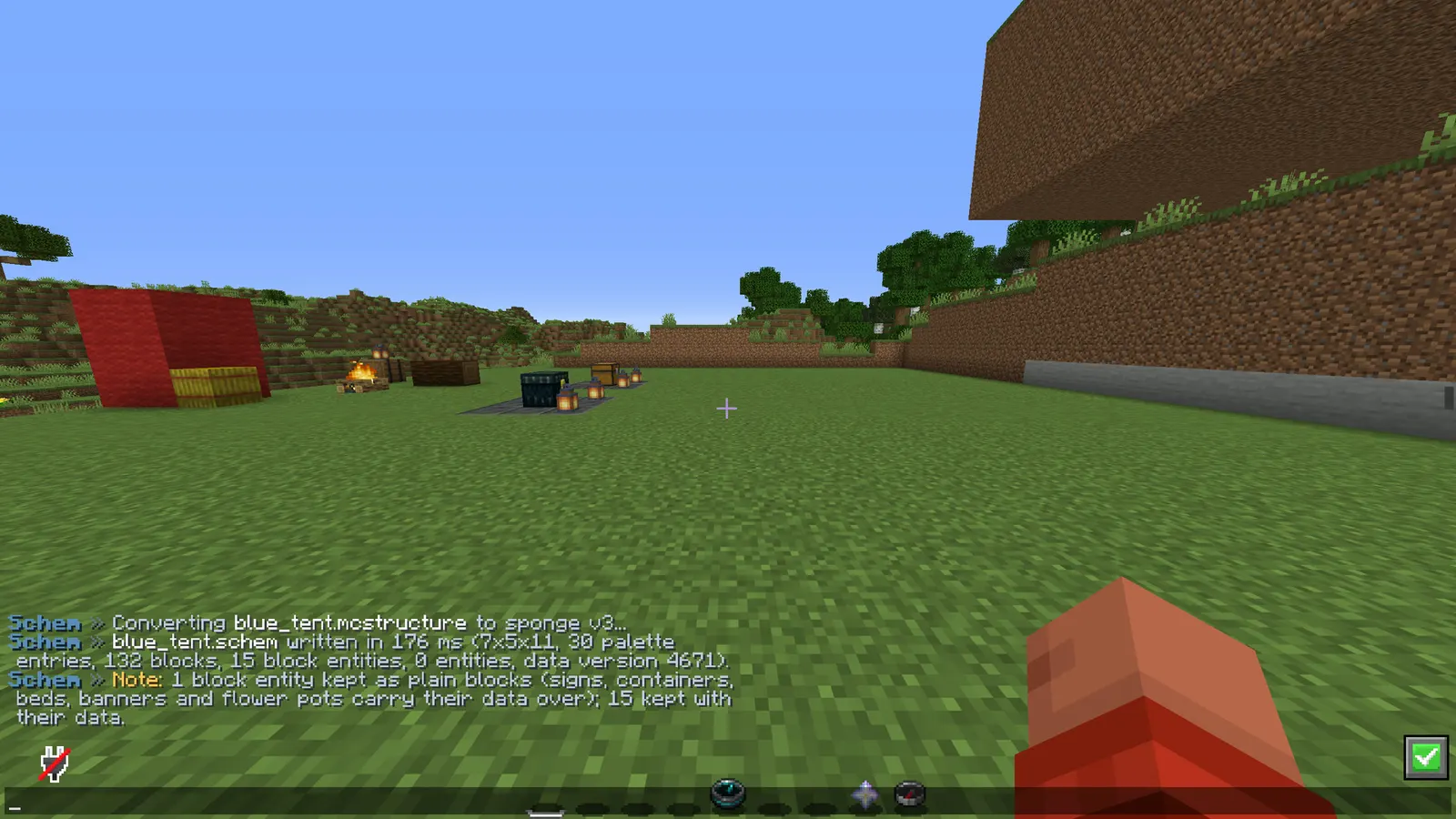
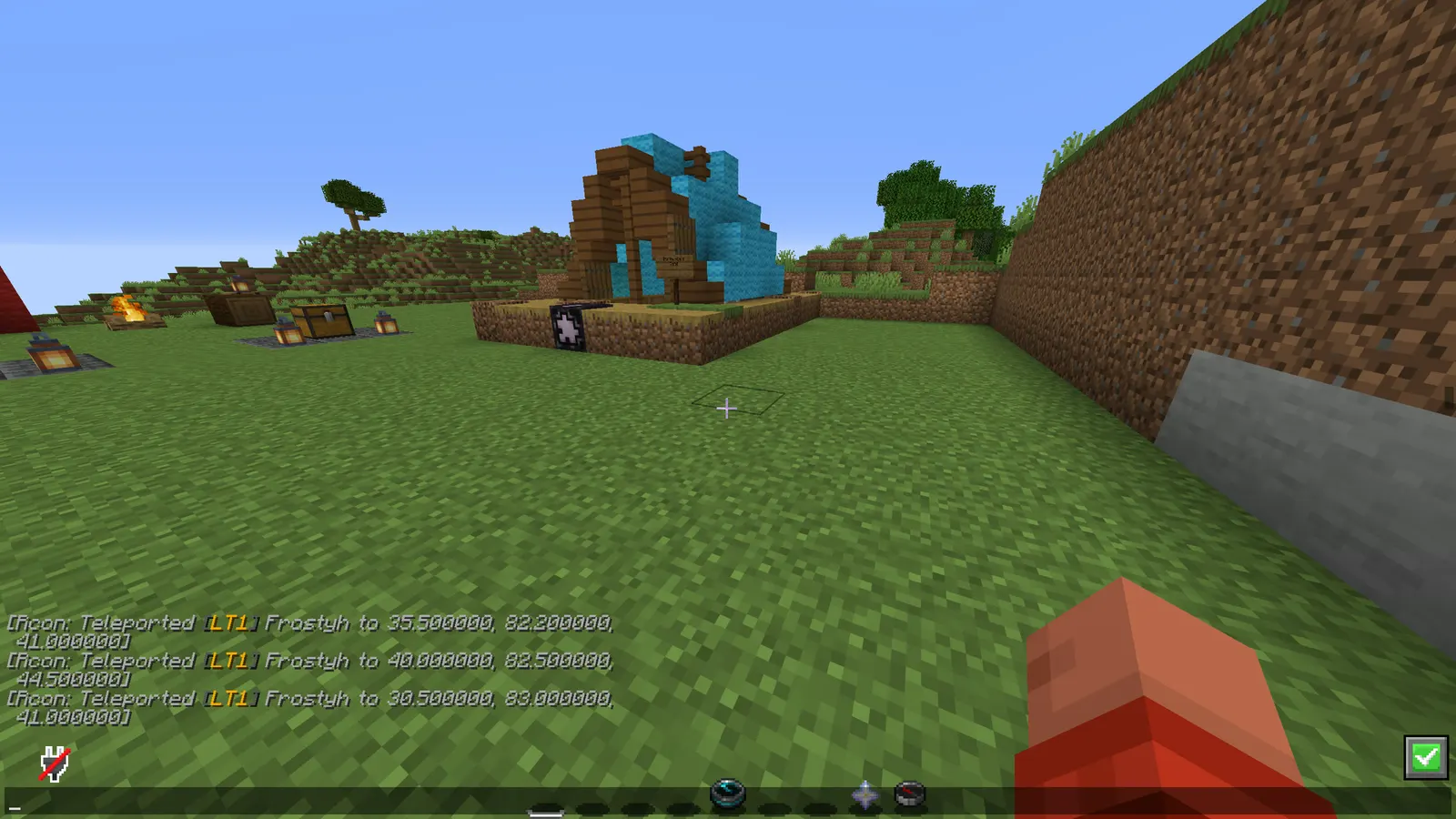
Every builder uses Litematica. WorldEdit does not read .litematic and never has. Bedrock builders send .mcstructure files that no Java tool opens at all. So you upload files to converter websites, download them again and hope nothing got lost. SchemConvert does it on your own server: drop the file into your schematics folder, run /schemconvert name, and //schem load name works seconds later.
New in v1.4.0: Java and Bedrock. Turn any .litematic or .schem into a Bedrock .mcstructure for your Bedrock players or a Bedrock world, and turn a structure saved on Bedrock into a Java .schem or .litematic. It also still goes Litematica to WorldEdit and back, and between Sponge v3 and v2.
In short
- One command instead of a converter website, for Java and Bedrock files
- Every direction: Litematica, WorldEdit (v3 and v2) and Bedrock .mcstructure
- Converts in the background, the server keeps ticking
- Says plainly what a conversion could not carry over, instead of dropping it silently
- No dependencies
- Latest version
- 1.3.0
- Runs on
- Paper or Purpur 1.21.11 (or newer), Java 21
- BuiltByBit
- SchemConvert on BuiltByBit
What changed in 1.3.0
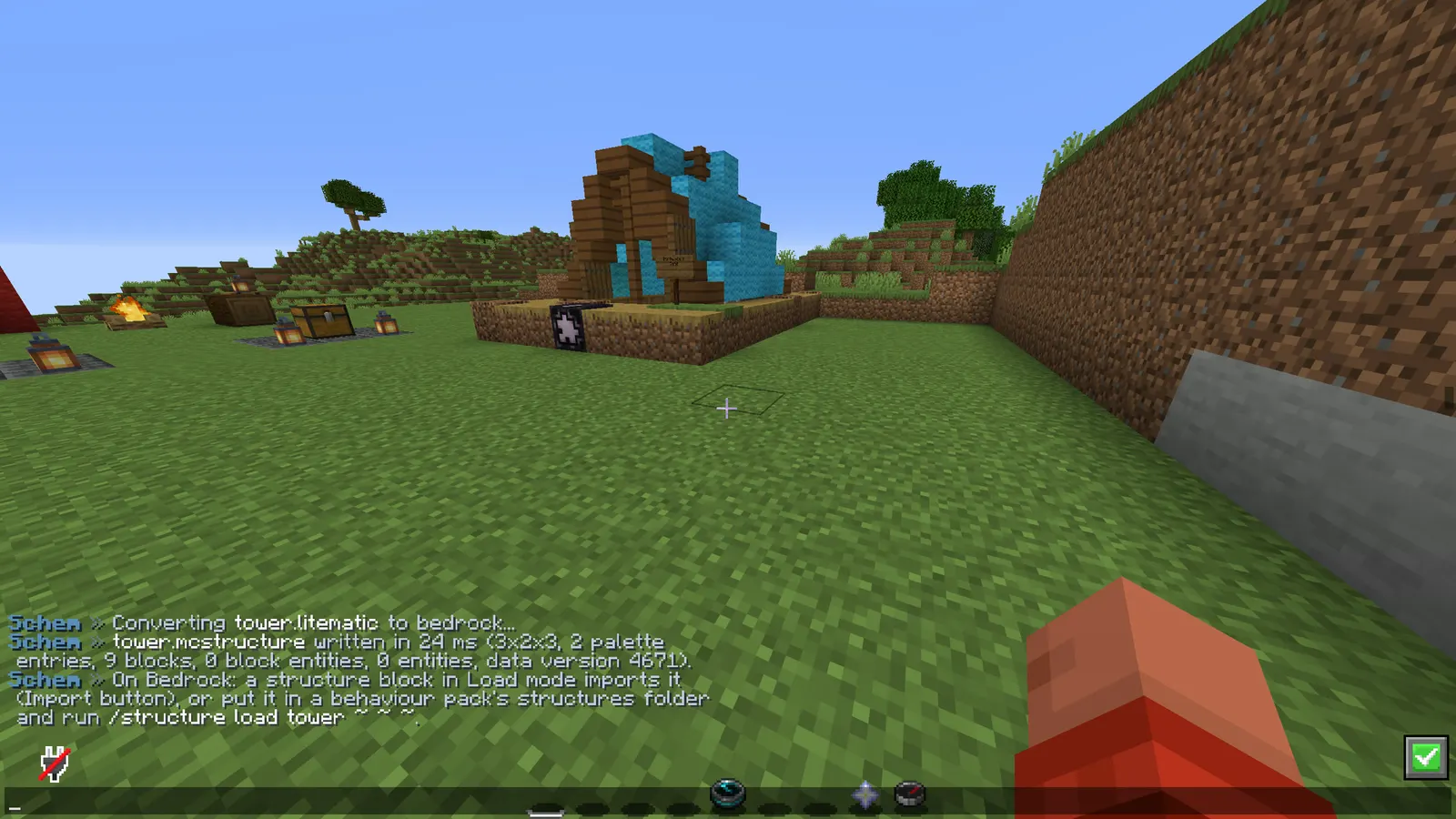
- New: Java and Bedrock. /schemconvert <file> bedrock turns any .litematic or .schem into a Bedrock .mcstructure, ready for a structure block (Load mode, Import) or /structure load from a behaviour pack.
- New: a .mcstructure exported on Bedrock becomes a Java .schem with /schemconvert <file>.mcstructure, or a .litematic with /schemconvert <file>.mcstructure litematic.
- Every vanilla block state of Java 1.21.11 to 26.3 has its Bedrock match (35,723 states, checked against Bedrock 1.26.50's own block list). The table comes from GeyserMC's mappings (MIT).
- Structures saved by an older Bedrock (planks with a wood type, log2, wooden_slab and the like) are brought up to date first, the way Bedrock upgrades its own worlds (pmmp's upgrade schemas, CC0).
- Kept across the jump: waterlogged blocks, sign text with colour and glow, chest, barrel, shulker box, hopper, dispenser, dropper and furnace contents (item and count), double chests, bed and banner colours, flower pot plants, note block pitch, shulker box facing. Fences, glass panes and iron bars from Bedrock connect to their neighbours again.
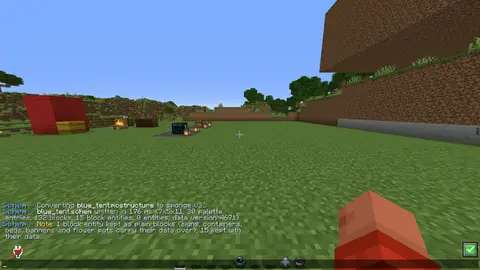
- Each conversion says what it could not carry over (entities, item enchantments, other block entity data, blocks with no match) instead of dropping it silently.
- The file screen's drop-down has a Bedrock .mcstructure choice, tab completion offers bedrock, /schemconvert download takes .mcstructure links, and auto-convert also turns new .mcstructure files into .schem (auto-convert.bedrock, on by default). Files SchemConvert writes for Bedrock are never converted back by the watcher.
- Your existing config.yml keeps working. The new messages and the auto-convert.bedrock setting use their defaults until you add them; regenerate config.yml to see them with their comments. Until then the old "Unknown format" line does not mention bedrock.
Features
01What makes it different
- Converts on your own server instead of a converter website, so the build never leaves your machine
- Its own NBT reader and writer: no WorldEdit or FAWE needed to convert, and no NMS
- Java formats are exact: a 58 million block map was converted Litematica to WorldEdit and back with zero mismatches
- Bedrock matches for every vanilla block state of Java 1.21.11 to 26.3 (35,723 states), each one checked against Bedrock 1.26.50's own block list
- Structures saved by older Bedrock versions are brought up to date first, the way Bedrock upgrades its own worlds
02What you get
- New in v1.4.0: Java to Bedrock: any .litematic or .schem becomes a Bedrock .mcstructure with /schemconvert <file> bedrock
- New in v1.4.0: Bedrock to Java: a .mcstructure becomes a v3 .schem (or v2, or a .litematic) with /schemconvert <file>.mcstructure
- New in v1.4.0: kept across the jump: waterlogged blocks, sign text with colour and glow, chest, barrel, shulker box, hopper, dispenser, dropper and furnace contents, double chests, bed and banner colours, flower pot plants and note block pitch; fences, glass panes and iron bars from Bedrock connect to their neighbours again
- Auto-convert: watches the schematic folders and turns every new .litematic or .mcstructure into a .schem by itself, once the upload has finished (files it wrote for Bedrock are left alone)
- Download from a link: /schemconvert download <link> fetches a .litematic, .schem or .mcstructure from an https link, like a Discord attachment, so nobody needs FTP
- Litematica (.litematic) to Sponge v3 or v2 .schem, and .schem back to .litematic
- v2 to v3 and v3 to v2 for plugins that only read one of them
- Multi-region litematics merged into one schematic, including regions with negative sizes (mirrored selections), which trip up most converters
- Java block entities and entities carried over between the Java formats: signs, chests, banners, heads, armour stands, item frames, paintings
- Runs off the main thread; a 50 MB file does not freeze the server
- Searches the WorldEdit and FAWE schematic folders and its own, never leaves them (no path tricks)
- /schemconvert info shows size, palette, block count and data version before you convert
- Batch mode converts every file in the folders at once
03The file screen
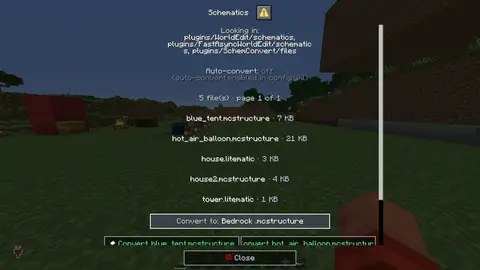
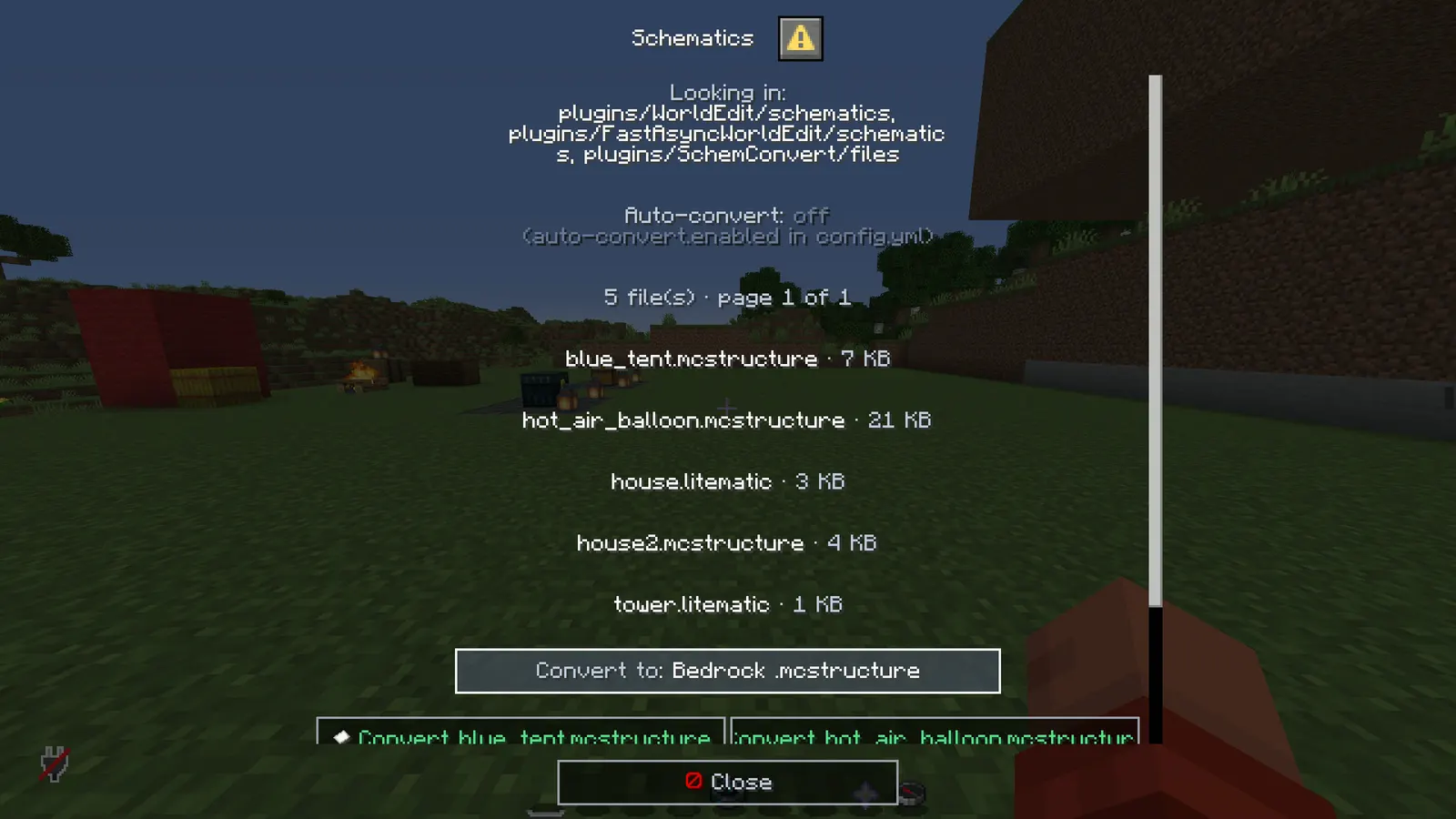
- /schemconvert on its own opens a real Minecraft dialog window with the files the server can see, eight to a page, with their size
- A drop-down picks the target: the other format, Sponge v3, Sponge v2, Litematica or Bedrock .mcstructure
- One button per file converts it, and one button converts the whole folder
- No typing file names, and no way to typo one
menu: falseputs the plain help line back
Installation
Requirements
- Server
- Paper, or a Paper fork such as Purpur. Spigot and CraftBukkit won't work, because it uses Paper-only APIs.
- Minecraft
- 1.21.11 (or newer); plugin.yml api-version 1.21; built against Paper API 1.21.11
- Java
- 21 or newer
- Needs
- No other plugin
- Works with
- Nothing optional
The listing also says:
- WorldEdit or FAWE to actually paste a .schem (SchemConvert itself needs neither)
- Bedrock: a structure block in Load mode imports a .mcstructure, or /structure load from a behaviour pack
- No DRM, no licence key and no licence server; the code is not obfuscated
Steps
- Download
SchemConvert.jarfrom BuiltByBit. There's no licence key to enter. - Stop the server and put the jar in the
pluginsfolder. - Start the server. The plugin writes
plugins/SchemConvert/config.ymlwith the defaults listed under Configuration. - Change
config.ymlto fit your server. - Run
/schemconvert reload(reload the config) to apply your changes, or restart the server.
Setup guide
- Drop SchemConvert.jar into /plugins and restart.
- Put a .litematic or .mcstructure into plugins/WorldEdit/schematics (or the FAWE folder, or plugins/SchemConvert/files).
- /schemconvert <name>, then //schem load <name> and //paste. For Bedrock: /schemconvert <name> bedrock, then import the .mcstructure with a structure block.
SMP and build servers: builders hand you .litematic files, you paste them without leaving the game. Spawn rebuilds, event arenas, community builds.
Java and Bedrock networks (Geyser): a build made on Bedrock comes to the Java server as a .schem, and a Java build goes to a Bedrock world or realm as a .mcstructure.
Duel / minigame servers: arenas from map makers come as litematics; convert, paste, done. Convert your existing arenas to .litematic so a builder can edit them in the mod and send them back.
Commands
Straight from plugin.yml. Where the permission column says "not set", plugin.yml puts no permission on the command itself; the nodes the plugin checks are under Permissions.
| Command | Aliases | Usage | What it does | Permission |
|---|---|---|---|---|
/schemconvert | /sconv /lite2schem | /schemconvert <file.litematic|file.schem|file.mcstructure> [v3|v2|litematic|bedrock] [newname] | list | info <file> | all [format] | download <link> [name] | reload | Convert .litematic, .schem and .mcstructure files. | schemconvert.use |
Every subcommand
/schemconvert <file>                       Convert. Litematic and .mcstructure become v3 .schem, .schem becomes .litematic.
/schemconvert <file> v3|v2|litematic|bedrock   Choose the target format.
/schemconvert <file> <format> <newname>    Choose the output name.
/schemconvert list                         Files that can be converted.
/schemconvert info <file>                  Format, size, palette and block counts.
/schemconvert all [format]                 Convert every file in the folders.
/schemconvert reload                       Reload the config.
/schemconvert download <link> [name]       Fetch a file from an https link (max 50 MB).
Works from console too. File names tab-complete; the extension is optional.
Permissions
From plugin.yml.
| Node | Default | What it allows | Includes |
|---|---|---|---|
schemconvert.use | operators | Convert schematics, and hear about files the folder watcher converted. | none |
schemconvert.download | operators | Fetch a .litematic, .schem or .mcstructure from an https link with /schemconvert download. | none |
Placeholders
This plugin doesn't add any PlaceholderAPI placeholders.
Configuration
The default files exactly as they ship in the jar, comments included. The plugin writes them to plugins/SchemConvert/ the first time it starts.
config.yml
| Key | Default | The comment above it |
|---|---|---|
menu | true | Bare /schemconvert opens the file screen instead of printing the help. |
folders | list of 3 | Folders that are searched for .litematic, .schem and .mcstructure files, relative to the server root. |
output-folder | "" (empty) | Where converted .schem and .litematic files go. Empty = next to the source file. |
overwrite | false | Replace an existing file with the same name? |
same-name-suffix | "-converted" | Added to the name when the output would have the same name as the input, e.g. a v3 .schem converted to v2 is written as name-converted.schem. |
auto-convert | section, 5 keys | Watch the folders above and turn every new .litematic into a .schem on its own, so a file a builder dropped in is ready for //schem load without anybody typing a command. A file is taken once it has stopped growing. An existing .schem is only replaced when... |
download | section, 4 keys | /schemconvert download <link> [name]: fetch a .litematic or .schem from a link (a Discord attachment, a file host) into the folder below, so nobody needs FTP. https only, never the server itself or a local network address, and never bigger than... |
theme | section, 11 keys | Every message below is written against these names, not against hex codes: <accent>Open</accent> rather than <#6fa8dc>Open</#6fa8dc>. Change a colour here and it changes on every screen at once. Ordinary MiniMessage still works, so <gradient:#a:#b> and... |
messages | section, 49 keys | none |
review-reminder | true | One thank-you line with the BuiltByBit review link: once in the console after install and once in chat for the first operator who joins. It never repeats and sends nothing anywhere. false turns it off. |
plugins/SchemConvert/config.yml139 lines
# SchemConvert - Litematica, WorldEdit and Bedrock schematics, on the server.
#
# Drop a .litematic into one of the folders below, then /schemconvert <name>. The .schem lands next
# to it and //schem load <name> works right away. The other direction works too: /schemconvert
# <name>.schem litematic turns a WorldEdit .schem into a .litematic builders can open in Litematica.
#
# Java and Bedrock: /schemconvert <name> bedrock writes a Bedrock .mcstructure (on Bedrock, import
# it with a structure block in Load mode, or load it from a behaviour pack with /structure load),
# and a .mcstructure exported on Bedrock becomes a Java .schem with /schemconvert <name>.mcstructure.
#
# Files read: .litematic (Litematica), .schem (WorldEdit / FAWE, Sponge v2 or v3) and .mcstructure
# (Bedrock). Files written: .schem for the v3 and v2 formats, .litematic for the litematic format,
# .mcstructure for the bedrock format.
# MCEdit .schematic files (pre-1.13) are not read. The extension in a command is optional, but
# type it when the same name exists in more than one format.

# Bare /schemconvert opens the file screen instead of printing the help.
menu: true

# Folders that are searched for .litematic, .schem and .mcstructure files, relative to the server root.
folders:
  - plugins/WorldEdit/schematics
  - plugins/FastAsyncWorldEdit/schematics
  - plugins/SchemConvert/files

# Where converted .schem and .litematic files go. Empty = next to the source file.
output-folder: ""

# Replace an existing file with the same name?
overwrite: false

# Added to the name when the output would have the same name as the input, e.g. a v3 .schem
# converted to v2 is written as name-converted.schem.
same-name-suffix: "-converted"

# Watch the folders above and turn every new .litematic into a .schem on its own, so a file a
# builder dropped in is ready for //schem load without anybody typing a command. A file is taken
# once it has stopped growing. An existing .schem is only replaced when overwrite is true and the
# .litematic is newer. .schem files are never converted back automatically.
auto-convert:
  enabled: false
  interval-seconds: 10     # how often the folders are looked at
  format: v3               # v3 or v2
  notify: true             # tell online players with schemconvert.use; the console always hears it
  bedrock: true            # also turn new Bedrock .mcstructure files into .schem

# /schemconvert download <link> [name]: fetch a .litematic or .schem from a link (a Discord
# attachment, a file host) into the folder below, so nobody needs FTP. https only, never the server
# itself or a local network address, and never bigger than max-size-mb.
# Needs the schemconvert.download permission (ops have it).
download:
  enabled: true
  folder: plugins/SchemConvert/files   # keep it in the folders list so the file shows up there
  max-size-mb: 50
  convert-after: true      # a downloaded .litematic or .mcstructure is converted to a v3 .schem straight away

# ------------------------------------------------------------------------------------------------
# THEME
# ------------------------------------------------------------------------------------------------
# Every message below is written against these names, not against hex codes: <accent>Open</accent>
# rather than <#6fa8dc>Open</#6fa8dc>. Change a colour here and it changes on every screen at
# once. Ordinary MiniMessage still works, so <gradient:#a:#b> and <#ff0000> are fine anywhere.
theme:
  accent: "#6fa8dc"     # your colour: headings and anything the player is meant to click
  accent2: "#b0cfec"    # a lighter accent, for a second level of emphasis
  title: "#f4f7ff"      # screen titles
  text: "#c2ccdd"       # ordinary prose
  muted: "#6b7a94"      # hints, separators, anything the eye should skip
  value: "#ffffff"      # the numbers and names the player opened the screen to read
  good: "#57e08a"
  warn: "#ffc857"
  bad: "#ff6b6b"
  small-caps: false     # ᴇхᴀᴍᴘʟᴇ - a garnish; whole menus in it read badly
  # Real Minecraft item pictures beside the buttons and in the chest screens. Drawn from the
  # client's own textures, so there is nothing to install and no resource pack: it needs a
  # 1.21.9 or newer client, and older ones simply see the buttons as words.
  item-icons: true

messages:
  prefix: "<#5b8fb9><bold>Schem</bold></#5b8fb9> <muted>»</muted> "
  help: "<text>/schemconvert <file.litematic|file.schem|file.mcstructure> [v3|v2|litematic|bedrock] [newname] · /schemconvert list · /schemconvert info <file> · /schemconvert all [format] · /schemconvert download <link> [name] · /schemconvert reload</text>"
  usage-info: "<text>/schemconvert info <file></text>"
  list: "<text>Files: </text><value>{files}</value>"
  list-empty: "<text>No .litematic, .schem or .mcstructure files in </text><value>{folders}</value><text>.</text>"
  not-found: "<bad>No file called </bad><value>{file}</value><bad> in the schematic folders.</bad>"
  legacy-schematic: "<value>{file}</value><bad> is an old MCEdit .schematic (before 1.13) and cannot be converted without losing blocks. Load it with an old WorldEdit and save it as .schem first.</bad>"
  unknown-format: "<bad>Unknown format </bad><value>{format}</value><bad>. Use v3, v2, litematic or bedrock.</bad>"
  exists: "<bad>{file} already exists. Give a new name, or set overwrite: true.</bad>"
  start: "<text>Converting </text><value>{file}</value><text> to {format}...</text>"
  done: "<value>{file}</value><text> written in {ms} ms ({summary}).</text>"
  failed: "<bad>{file} failed: </bad><value>{error}</value>"
  # Said after a Java <-> Bedrock conversion: what had no match, or was left out.
  note: "<warn>Note: </warn><text>{note}</text>"
  bedrock-load: "<text>On Bedrock: a structure block in Load mode imports it (Import button), or put it in a behaviour pack's structures folder and run </text><value>/structure load {file} ~ ~ ~</value><text>.</text>"
  info: "<value>{file}</value><text>: {info}</text>"
  all-start: "<text>Converting {count} file(s)...</text>"
  reloaded: "<value>Config reloaded.</value>"
  no-permission: "<bad>You cannot do that.</bad>"

  # The folder watcher (auto-convert in the settings above).
  auto-done: "<text>Auto-converted </text><value>{file}</value><text> to </text><value>{out}</value><text> in {ms} ms ({summary}).</text>"
  auto-failed: "<bad>Auto-convert of {file} failed: </bad><value>{error}</value>"

  # /schemconvert download.
  usage-download: "<text>/schemconvert download <https link> [name]</text>"
  download-off: "<bad>Downloads are switched off in config.yml (download.enabled).</bad>"
  download-no-name: "<bad>The link does not end in .litematic, .schem or .mcstructure. Add a name with the extension: </bad><value>/schemconvert download <link> castle.litematic</value>"
  download-start: "<text>Downloading </text><value>{file}</value><text>...</text>"
  download-done: "<value>{file}</value><text> saved ({size} KB).</text>"
  download-failed: "<bad>Download failed: </bad><value>{error}</value>"

  # The file screen. Every line here is a screen title, a button label or a tooltip.
  menu-title: "<value>Schematics</value>"
  menu-close: "<white><icon:close></white><text>Close</text>"
  menu-folders: "<text>Looking in: </text><value>{folders}</value>"
  menu-auto-on: "<text>Auto-convert: </text><good>on</good><text>, new .litematic and .mcstructure files become .schem by themselves</text>"
  menu-auto-off: "<text>Auto-convert: </text><muted>off (auto-convert.enabled in config.yml)</muted>"
  menu-count: "<text>{count} file(s) · page {page} of {pages}</text>"
  menu-file-line: "<value>{file}</value><text> · {size} KB</text>"
  menu-field-format: "<text>Convert to</text>"
  menu-format-auto: "<value>The other format</value>"
  menu-format-v3: "<value>WorldEdit .schem (Sponge v3)</value>"
  menu-format-v2: "<value>WorldEdit .schem (Sponge v2)</value>"
  menu-format-litematic: "<value>Litematica .litematic</value>"
  menu-format-bedrock: "<value>Bedrock .mcstructure</value>"
  menu-convert: "<white><icon:file></white><good>Convert {file}</good>"
  menu-convert-tip: "<text>Write {file} in the format chosen above.</text>"
  menu-convert-all: "<white><icon:file></white><value>Convert every file</value>"
  menu-convert-all-tip: "<text>Every file in the folders, in the format above.</text>"
  menu-prev: "<white><icon:back></white><text>« Page back</text>"
  menu-prev-tip: "<text>The page before.</text>"
  menu-next: "<white><icon:next></white><text>Page on »</text>"
  menu-next-tip: "<text>The next page.</text>"
  menu-refresh: "<white><icon:reload></white><text>Look again</text>"
  menu-refresh-tip: "<text>Read the config and scan the folders again.</text>"

# One thank-you line with the BuiltByBit review link: once in the console after install and once
# in chat for the first operator who joins. It never repeats and sends nothing anywhere. false turns it off.
review-reminder: true
Config guide
The short annotated version from the listing. If it and the files above disagree, the files are what actually ships.
folders:                                  where files are looked for, relative to the server root
  - plugins/WorldEdit/schematics
  - plugins/FastAsyncWorldEdit/schematics
  - plugins/SchemConvert/files
output-folder: ""                         empty = next to the source file
overwrite: false                          replace an existing output file
same-name-suffix: "-converted"            used when input and output would share a name
auto-convert:
  enabled: false                          watch the folders and convert new files by themselves
  bedrock: true                           also turn new .mcstructure files into .schem
FAQ
Which servers and versions does it run on?
It needs Paper or a Paper fork like Purpur, because it uses Paper-only APIs (the dialog API for its menus, Adventure text components). Spigot and CraftBukkit won't work. The listing says Minecraft 1.21.11 (or newer). plugin.yml declares api-version 1.21, the jar is built against Paper API 1.21.11, and it needs Java 21 or newer.
Does it need other plugins?
No, it runs without any other plugin (plugin.yml has no hard dependencies). The listing adds: WorldEdit or FAWE to actually paste a .schem (SchemConvert itself needs neither).
How do I apply config changes?
Edit plugins/SchemConvert/config.yml and run /schemconvert reload (reload the config). Restarting works too.
Does it run on Folia, or for Bedrock players?
I haven't tested it on Folia, and plugin.yml doesn't declare folia-supported. I haven't tested Bedrock players through Geyser either.
Can it convert Bedrock builds?
Yes. A .mcstructure exported on Bedrock becomes a Java .schem or .litematic, and any Java schematic becomes a .mcstructure your Bedrock players can load.
Is there DRM or a licence key?
No. There is nothing to activate and no licence server to reach, and the code is not obfuscated.
How long does setup take?
Drop the jar into /plugins and restart. The setup guide above has 3 short steps.
Do my builders need FTP access?
No. /schemconvert download takes an https link (a Discord attachment works), and auto-convert can turn every new .litematic or .mcstructure into a .schem without a command.
What are its limits?
MCEdit .schematic files (pre-1.13, numeric block ids) are not supported, because they cannot be converted without guessing. Between Java and Bedrock, entities (armour stands, item frames, mobs), item enchantments and names, banner patterns and other block entity data (spawners, lecterns, command blocks) are not carried over; each conversion lists what it left out. Bedrock does not store some details Java keeps in the block, such as stair corners, redstone wire connections or whether a door is powered; Java works most of them out again when the blocks next update. A structure block on Bedrock loads up to 64x384x64; larger builds load with /structure or in parts.
Links
- BuiltByBit
- SchemConvert
- Support
- discord.gg/KG4ubAZEuw
- Everything
- The Complete Collection on BuiltByBit
- More plugins
- All my plugins
- Custom work
- Commissions
Support
Questions, bugs or ideas: the active support Discord or the discussion tab on BuiltByBit. When something breaks, include your server version and the error from the console.
Credits
The Java and Bedrock block table is built from GeyserMC's mappings (MIT licence). Older Bedrock blocks are upgraded with pmmp's BedrockBlockUpgradeSchema (CC0). Both licences ship inside the jar.