 Frostyh

Overview
Turn hotbar items into real Minecraft menus instead of chests full of glass panes
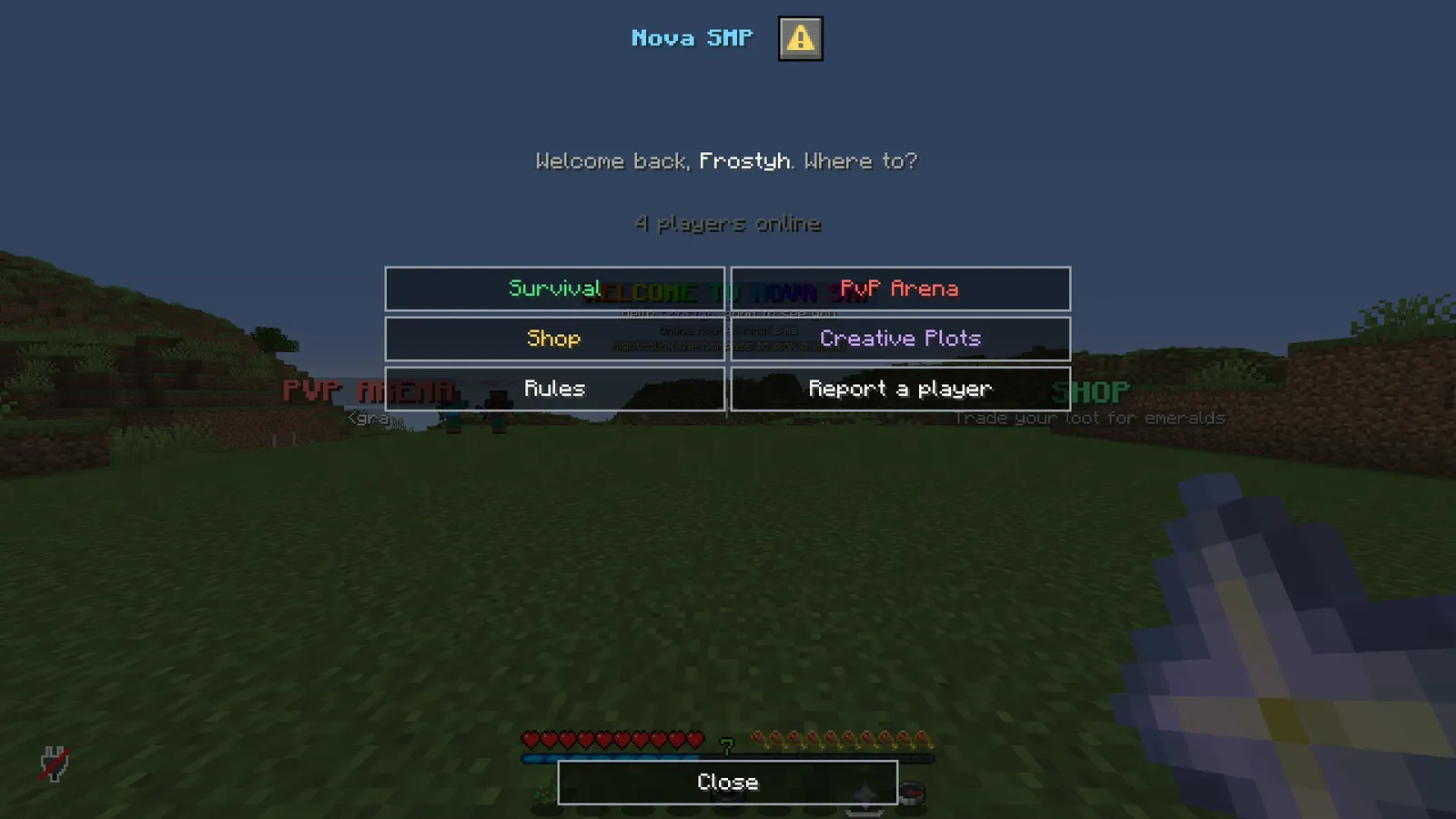
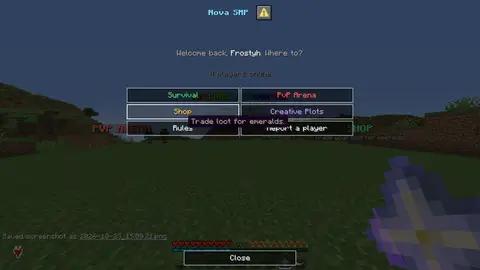
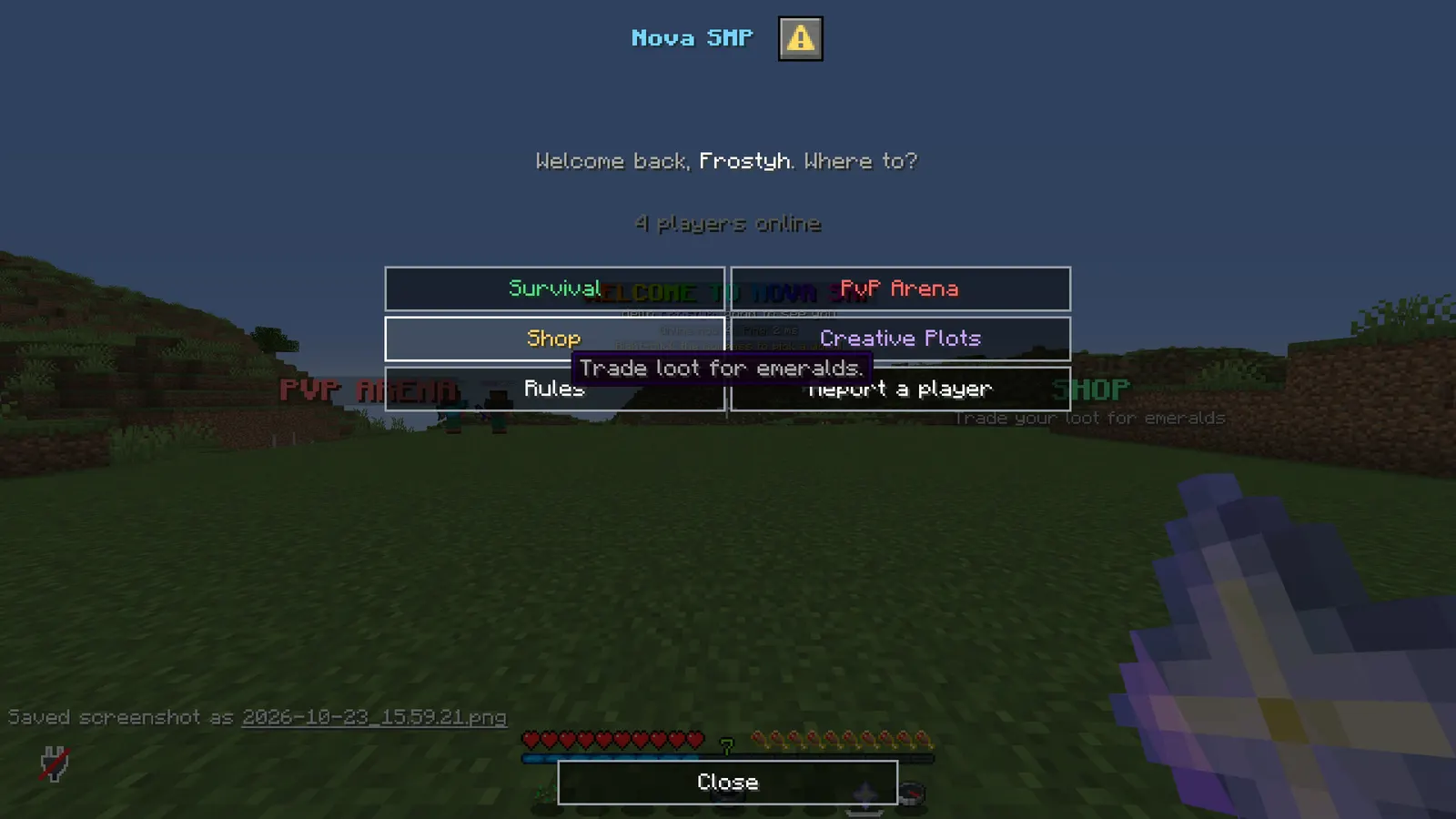
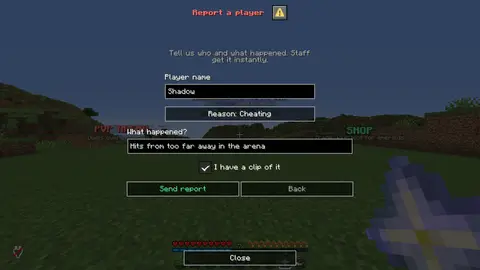
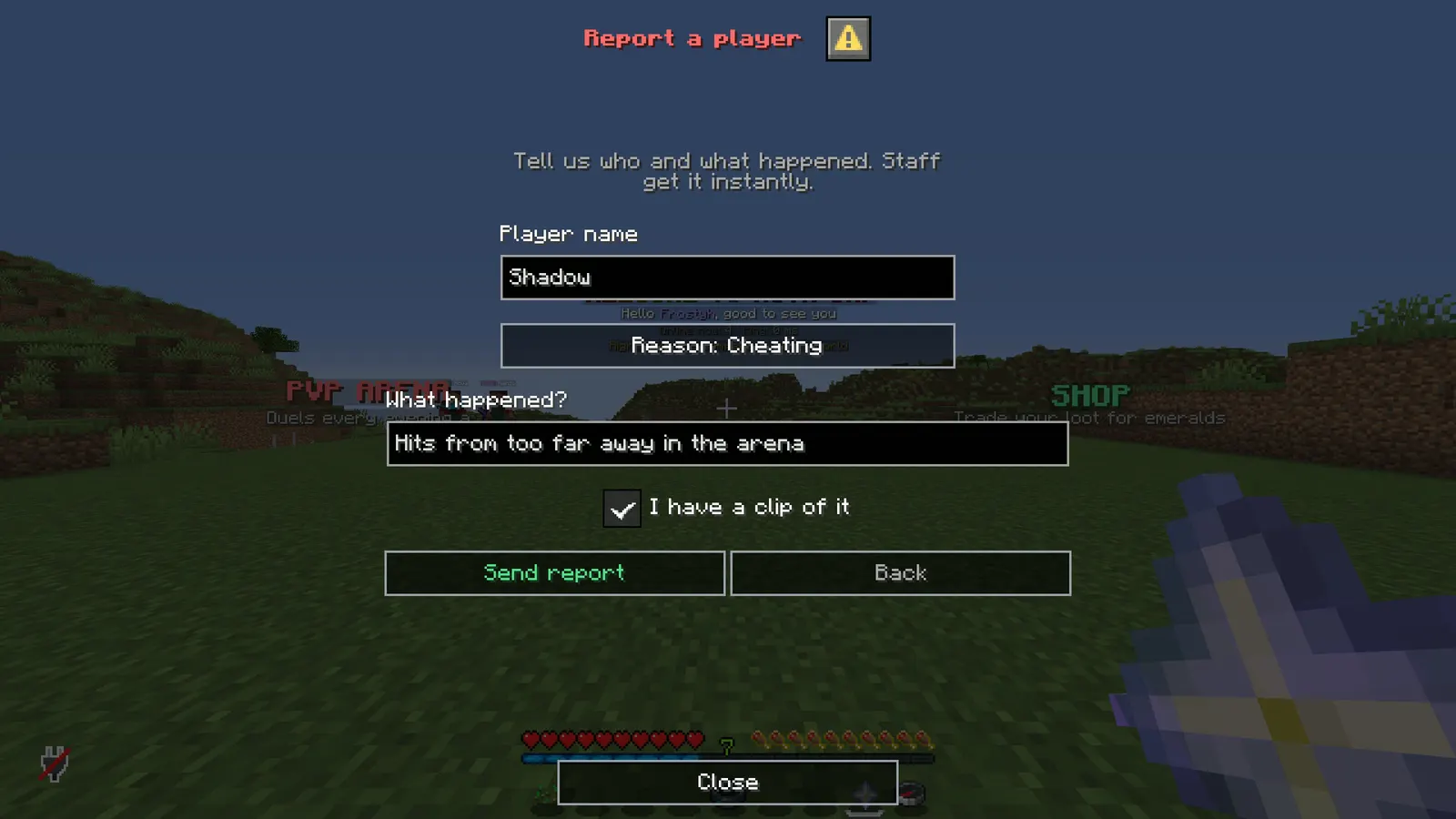
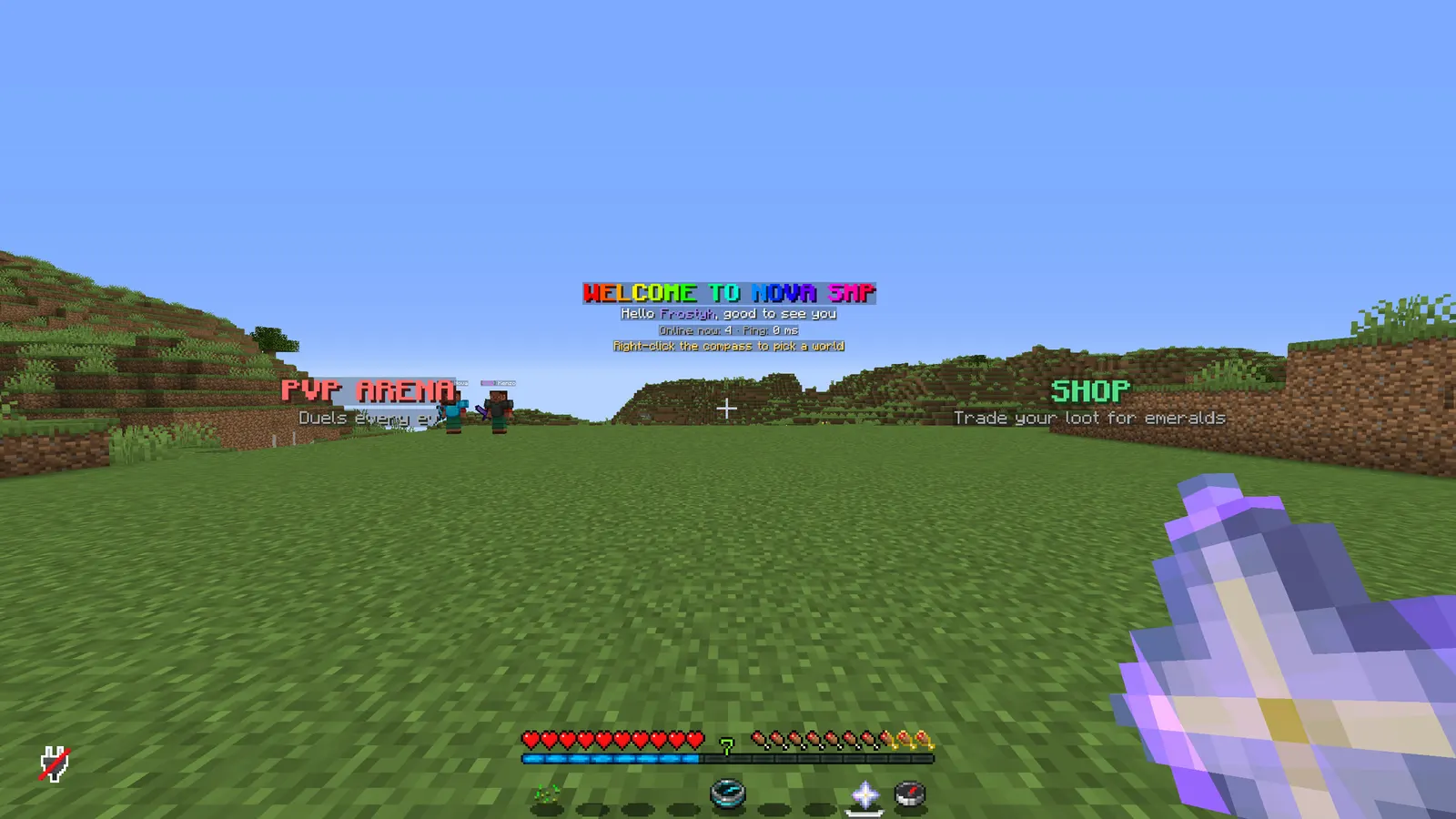
Since 1.21.6 Minecraft has real dialog screens: a title, text, buttons with tooltips, laid out by the client. HotbarDialogs puts them on your hotbar. A compass opens a server selector, a head opens the profile, an emerald opens the shop, and every one of them is a proper screen rather than a chest full of renamed glass panes.
Everything is in one config file: which items sit where, what they look like, which menu they open, what each button does. No chest GUI code, no resource pack, no placeholder items.
In short
- Real dialog screens: titles, text and buttons with tooltips
- Server selector, profile, shop: whatever your lobby needs
- One config file, no code and no resource pack
- PlaceholderAPI in your menu text
- No chest GUI tricks to break on updates
- Latest version
- 1.3.0
- Runs on
- Paper or Purpur 1.21.11 (or newer 1.21.x), Java 21
- BuiltByBit
- HotbarDialogs on BuiltByBit
What changed in 1.3.0
- New: item pictures on buttons. Add icon: diamond_sword to a button and that item is drawn in front of its label.
- New: <icon:...> works with any item id in titles, body lines, labels and tooltips, for example <icon:ender_pearl>Warps.
- The pictures come from the player's own game textures, so there is no resource pack to install. Players on 1.21.9 or newer see them; older clients just see the text.
- The example menus in a fresh config.yml now show icons. Your existing config.yml is not changed; add icon: lines where you want them.
- Thanks to peterspeeder for the idea.
Features
01What makes it different
- Uses Minecraft's own dialog screens instead of chest menus filled with renamed glass panes
- Menus can be forms: text fields, choice lists, toggles and sliders whose answers the buttons use
- On start and on reload the console names every config mistake and where it is
02What you get
- New in v1.2.0: Forms: menus can have text fields, choice lists, toggles and sliders, and buttons use the answers, for report or staff application menus
- New in v1.2.0: Network support: the server:<name> action sends players to another server on your BungeeCord or Velocity network
- New in v1.2.0: Config check: on start and on reload the console names every mistake and where it is
- Hotbar items defined in config: slot, material, name, lore, glow, custom model data, permission
- Menus defined in config: title, body lines, buttons with label and tooltip, column count, button width, close label
- One small action language for items and buttons: open a menu, run a command as the player, run a command from console, send a message, play a sound, close. Several actions in a row are fine.
- Buttons can require a permission and either hide or show as locked
- {player}, {world}, {online} and every PlaceholderAPI placeholder in any text
- Given on join, respawn and world change; only in the worlds you list, removed elsewhere
- Locked: items cannot be moved, dropped, swapped to the offhand or lost on death
- Left-click and right-click can do different things
- /menu <id> opens any menu from a command, so other plugins, NPCs and signs can open them too
- MiniMessage everywhere; every message, title and label editable; reload without restart
Installation
Requirements
- Server
- Paper, or a Paper fork such as Purpur. Spigot and CraftBukkit won't work, because it uses Paper-only APIs.
- Minecraft
- 1.21.11 (or newer 1.21.x); plugin.yml api-version 1.21; built against Paper API 1.21.11
- Java
- 21 or newer
- Needs
- No other plugin
- Works with
PlaceholderAPI, when installed
The listing also says:
- Dialogs need clients on 1.21.6 or newer.
- PlaceholderAPI optional
- No DRM, no licence key and no licence server; the code is not obfuscated
Steps
- Download
HotbarDialogs.jarfrom BuiltByBit. There's no licence key to enter. - Stop the server and put the jar in the
pluginsfolder. - Start the server. The plugin writes
plugins/HotbarDialogs/config.ymlwith the defaults listed under Configuration. - Change
config.ymlto fit your server. - Run
/hotbardialogs reload(reload config and re-give the hotbar to everybody) to apply your changes, or restart the server.
Setup guide
- Drop HotbarDialogs.jar into /plugins and restart. The default config already has a navigator, profile, shop and spawn item so you can see it working.
- Set worlds to your lobby world(s).
- Change the commands in the example menus to yours (server:<name> for network servers, mv tp, warps, whatever you use).
- /hotbardialogs reload. Everybody in the lobby gets the new hotbar immediately.
Networks and lobbies: a server selector with one button per server, a cosmetics menu, a "report a player" menu that runs your report command.
Duel / FFA servers: a mode picker on the compass, a kit or settings menu on another slot; buttons run your existing commands.
SMP: a spawn hotbar with warps, rules, the store link and a "vote" menu; remove it in the survival world by listing only the spawn world.
Commands
Straight from plugin.yml. Where the permission column says "not set", plugin.yml puts no permission on the command itself; the nodes the plugin checks are under Permissions.
| Command | Aliases | Usage | What it does | Permission |
|---|---|---|---|---|
/menu | /menus /dialog | /menu <id> [player] | Open a dialog menu. | not set |
/hotbardialogs | /hbd | /hotbardialogs reload|give|clear|list | Manage the hotbar and menus. | hotbardialogs.admin |
Every subcommand
/menu <id>                 Open a menu.
/menu <id> <player>        (admin) Open a menu for somebody else (NPC plugins, command blocks).
/hotbardialogs reload      (admin) Reload config and re-give the hotbar to everybody.
/hotbardialogs give [player]    (admin) Give the hotbar.
/hotbardialogs clear [player]   (admin) Remove the hotbar items.
/hotbardialogs list        (admin) Items and menus that are loaded.
Permissions
From plugin.yml.
| Node | Default | What it allows | Includes |
|---|---|---|---|
hotbardialogs.admin | operators | Reload, give and clear hotbars, open menus for others. | none |
The listing also describes these groups and patterns:
<your own nodes>: set per item (items.<id>.permission) and per button (buttons[].permission)
Placeholders
This plugin doesn't add any PlaceholderAPI placeholders.
If PlaceholderAPI is installed, it fills in other plugins' placeholders inside its own messages.
Configuration
The default files exactly as they ship in the jar, comments included. The plugin writes them to plugins/HotbarDialogs/ the first time it starts.
config.yml
| Key | Default | The comment above it |
|---|---|---|
worlds | [lobby, world] | Worlds where the hotbar is given. Empty list = every world. |
give | section, 3 keys | none |
lock | true | menu items cannot be moved, dropped or swapped |
select-slot | true | put the player's hand on selected-slot after giving the items |
selected-slot | 0 | none |
click-cooldown-ms | 250 | none |
open-sound | "ui.button.click:0.6:1" | none |
close-label | "Close" | none |
locked-label | "<gray>{label}</gray>" | none |
locked-tooltip | "<red>You do not have access to this.</red>" | none |
items | section, 4 keys | none |
menus | section, 4 keys | none |
theme | section, 11 keys | Every message below is written against these names, not against hex codes: <accent>Open</accent> rather than <#ff8a5c>Open</#ff8a5c>. Change a colour here and it changes on every screen at once. Ordinary MiniMessage still works, so <gradient:#a:#b> and... |
messages | section, 14 keys | none |
review-reminder | true | One thank-you line with the BuiltByBit review link: once in the console after install and once in chat for the first operator who joins. It never repeats and sends nothing anywhere. false turns it off. |
plugins/HotbarDialogs/config.yml214 lines
# HotbarDialogs - hotbar items that open native Minecraft dialogs (1.21.6+).
#
# items:  what sits in the hotbar and what a click does.
# menus:  the dialog screens. Buttons use the same actions as items.
#
# Actions:
#   menu:<id>                  open a menu from this file
#   player:/command            run a command as the player ({player} works)
#   console:command {player}   run a command from console
#   message:<green>text</green> send a MiniMessage line
#   sound:entity.experience_orb.pickup:1:1.4   play a sound (name:volume:pitch)
#   server:lobby               send the player to another server of your BungeeCord or Velocity
#                              network. Use this, not player:/server lobby: /server is a proxy
#                              command, and a command run by the plugin never reaches the proxy.
#   close                      close the dialog
# One action goes in "action:", several go in "actions: [a, b, c]" and run in order.
# Text supports MiniMessage, {player}, {world}, {online} and PlaceholderAPI placeholders.
#
# Item pictures: give a button  icon: diamond_sword  and that item is drawn in front of its label.
# Anywhere in text (titles, body lines, labels, tooltips) <icon:diamond_sword> does the same, with
# any item id. They come from the player's own game textures: no resource pack, 1.21.9+ clients.
#
# Forms: a menu can have inputs: (see the "report" menu below). Its buttons then use
# {input:<key>} in their actions for what the player entered. Input types:
#   text     a text field.  max-length, width, initial, required: true, pattern: (a regex the
#            text must match, e.g. "[A-Za-z0-9_]{3,16}" for a player name)
#   choice   a list to pick from.  options: ["value:Shown text", ...], initial: <value>
#   toggle   on or off, gives true or false.  initial: true|false
#   number   a slider.  min, max, step, initial, width
# Keys are lowercase letters, digits and _, and "id" is reserved. Be careful with console:
# actions that use typed text: give text inputs a pattern so nobody can add extra arguments.
# The console checks this file on start and on /hotbardialogs reload and names every mistake.

# Worlds where the hotbar is given. Empty list = every world.
worlds:
  - lobby
  - world

give:
  on-join: true
  on-respawn: true
  on-world-change: true

lock: true                 # menu items cannot be moved, dropped or swapped
select-slot: true          # put the player's hand on selected-slot after giving the items
selected-slot: 0
click-cooldown-ms: 250
open-sound: "ui.button.click:0.6:1"
close-label: "Close"
locked-label: "<gray>{label}</gray>"
locked-tooltip: "<red>You do not have access to this.</red>"

items:
  navigator:
    slot: 0
    material: COMPASS
    name: "<#ff7f50><bold>Navigator</bold></#ff7f50>"
    lore:
      - "<gray>Right-click to pick a game.</gray>"
    action: "menu:games"
  profile:
    slot: 4
    material: PLAYER_HEAD
    name: "<#ff7f50><bold>Profile</bold></#ff7f50>"
    lore:
      - "<gray>Your settings and stats.</gray>"
    action: "menu:profile"
  shop:
    slot: 7
    material: EMERALD
    name: "<#ff7f50><bold>Shop</bold></#ff7f50>"
    lore:
      - "<gray>Ranks and cosmetics.</gray>"
    action: "menu:shop"
  lobby:
    slot: 8
    material: NETHER_STAR
    name: "<#ff7f50><bold>Back to spawn</bold></#ff7f50>"
    lore:
      - "<gray>Teleports you to spawn.</gray>"
    actions:
      - "player:/spawn"
      - "sound:entity.enderman.teleport:0.8:1.2"

menus:
  games:
    title: "<#ff7f50><bold>Play</bold></#ff7f50>"
    body:
      - "<gray>Hey <white>{player}</white>, pick a mode.</gray>"
      - "<gray><white>{online}</white> players online.</gray>"
    columns: 2
    button-width: 150
    buttons:
      - label: "<white>Survival</white>"
        icon: oak_sapling
        tooltip: "<gray>The main SMP world.</gray>"
        action: "console:mv tp {player} survival"
      - label: "<white>FFA</white>"
        icon: iron_sword
        tooltip: "<gray>Free for all, no teams.</gray>"
        action: "server:ffa"
      - label: "<white>Duels</white>"
        icon: diamond_sword
        tooltip: "<gray>1v1 with kits.</gray>"
        action: "server:duels"
      - label: "<white>Creative</white>"
        icon: bricks
        tooltip: "<gray>Plots and building.</gray>"
        permission: "rank.vip"
        show-locked: true
        action: "server:creative"
  profile:
    title: "<#ff7f50><bold>Profile</bold></#ff7f50>"
    body:
      - "<gray>Name: <white>{player}</white></gray>"
      - "<gray>World: <white>{world}</white></gray>"
    columns: 1
    buttons:
      - label: "<white>Settings</white>"
        icon: comparator
        action: "player:/settings"
      - label: "<white>Stats</white>"
        icon: book
        action: "player:/stats"
      - label: "<white>Report a player</white>"
        icon: writable_book
        action: "menu:report"
      - label: "<white>Back</white>"
        icon: arrow
        action: "menu:games"
  # A form: the player fills in the fields, the button uses what they entered.
  report:
    title: "<#ff7f50><bold>Report a player</bold></#ff7f50>"
    body:
      - "<gray>Staff read every report.</gray>"
    columns: 1
    inputs:
      - key: target
        type: text
        label: "<white>Player name</white>"
        max-length: 16
        required: true
        pattern: "[A-Za-z0-9_]{3,16}"
      - key: reason
        type: choice
        label: "<white>Reason</white>"
        options:
          - "cheating:Cheating"
          - "chat:Chat abuse"
          - "griefing:Griefing"
          - "other:Something else"
    # The report goes to players with the "staff" tag (/tag <name> add staff). Swap the console:
    # line for your own report or ticket command if you have one.
    buttons:
      - label: "<white>Send report</white>"
        tooltip: "<gray>Sends the report to online staff.</gray>"
        actions:
          - "console:tellraw @a[tag=staff] {\"text\":\"[Report] {player} reported {input:target} for {input:reason}\",\"color\":\"red\"}"
          - "message:<green>Thanks, your report about {input:target} was sent.</green>"
          - "close"
  shop:
    title: "<#ff7f50><bold>Shop</bold></#ff7f50>"
    body:
      - "<gray>Ranks, cosmetics and more on the website.</gray>"
    columns: 1
    buttons:
      - label: "<white>Open store link in chat</white>"
        actions:
          - "message:<#ff7f50>Store:</#ff7f50> <white><click:open_url:'https://store.example.com'>store.example.com</click></white>"
          - "close"

# ------------------------------------------------------------------------------------------------
# THEME
# ------------------------------------------------------------------------------------------------
# Every message below is written against these names, not against hex codes: <accent>Open</accent>
# rather than <#ff8a5c>Open</#ff8a5c>. Change a colour here and it changes on every screen at
# once. Ordinary MiniMessage still works, so <gradient:#a:#b> and <#ff0000> are fine anywhere.
theme:
  accent: "#ff8a5c"     # your colour: headings and anything the player is meant to click
  accent2: "#ffbfa5"    # a lighter accent, for a second level of emphasis
  title: "#f4f7ff"      # screen titles
  text: "#c2ccdd"       # ordinary prose
  muted: "#6b7a94"      # hints, separators, anything the eye should skip
  value: "#ffffff"      # the numbers and names the player opened the screen to read
  good: "#57e08a"
  warn: "#ffc857"
  bad: "#ff6b6b"
  small-caps: false     # ᴇхᴀᴍᴘʟᴇ - a garnish; whole menus in it read badly
  # Real Minecraft item pictures beside the buttons and in the chest screens. Drawn from the
  # client's own textures, so there is nothing to install and no resource pack: it needs a
  # 1.21.9 or newer client, and older ones simply see the buttons as words.
  item-icons: true

messages:
  prefix: "<#ff7f50><bold>Menu</bold></#ff7f50> <muted>»</muted> "
  no-permission: "<bad>You cannot do that.</bad>"
  unknown-menu: "<bad>No menu called </bad><value>{menu}</value><bad>.</bad>"
  unknown-player: "<bad>Unknown player: </bad><value>{name}</value>"
  usage-menu: "<text>/menu <id> [player]  ·  menus: </text><value>{menus}</value>"
  admin-help: "<text>/hotbardialogs reload · give [player] · clear [player] · list</text>"
  reloaded: "<value>Reloaded: {items} item(s), {menus} menu(s).</value>"
  gave: "<text>Hotbar given to </text><value>{player}</value><text>.</text>"
  cleared: "<text>Hotbar cleared for </text><value>{player}</value><text>.</text>"
  list: "<text>Items: </text><value>{items}</value><text>  ·  Menus: </text><value>{menus}</value>"
  # After /hotbardialogs reload: what the config check found.
  config-ok: "<good>config.yml checked: no problems.</good>"
  config-problems: "<warn>{count} problem(s) in config.yml.</warn><text> The console lists each one and where it is.</text>"
  # Forms: a required field left empty, or a text that does not match its pattern.
  input-required: "<bad>Fill in </bad><value>{field}</value><bad> first.</bad>"
  input-invalid: "<bad>That is not a valid </bad><value>{field}</value><bad>.</bad>"

# One thank-you line with the BuiltByBit review link: once in the console after install and once
# in chat for the first operator who joins. It never repeats and sends nothing anywhere. false turns it off.
review-reminder: true
Config guide
The short annotated version from the listing. If it and the files above disagree, the files are what actually ships.
worlds: [lobby]                 where the hotbar exists; empty = every world
give: { on-join: true, on-respawn: true, on-world-change: true }
lock: true                      items cannot be moved or dropped
open-sound: "ui.button.click:0.6:1"

items:
  navigator:
    slot: 0
    material: COMPASS
    name: "<#ff7f50><bold>Navigator</bold></#ff7f50>"
    lore: ["<gray>Right-click to pick a game.</gray>"]
    action: "menu:games"

menus:
  games:
    title: "<#ff7f50><bold>Play</bold></#ff7f50>"
    body:
      - "<gray>Hey <white>{player}</white>, pick a mode.</gray>"
    columns: 2
    buttons:
      - label: "<white>Survival</white>"
        tooltip: "<gray>The main world.</gray>"
        action: "console:mv tp {player} survival"
      - label: "<white>Creative</white>"
        permission: "rank.vip"
        show-locked: true
        action: "server:creative"
Actions:
menu:<id>                      open another menu
player:/command                run as the player
server:<name>                  send the player to another server of your network
console:command {player}       run from console
message:<green>Hi</green>      send a line (MiniMessage, click events allowed)
sound:name:volume:pitch        play a sound
close                          close the dialog
Use action: for one, actions: [a, b, c] for several. Items also accept left-action / left-actions for the left mouse button.
Where this summary and the default files differ (the summary sometimes uses example values):
worlds: the summary shows[lobby], the default file has[lobby, world].
FAQ
Which servers and versions does it run on?
It needs Paper or a Paper fork like Purpur, because it uses Paper-only APIs (the dialog API for its menus, Adventure text components). Spigot and CraftBukkit won't work. The listing says Minecraft 1.21.11 (or newer 1.21.x). plugin.yml declares api-version 1.21, the jar is built against Paper API 1.21.11, and it needs Java 21 or newer.
Does it need other plugins?
No, it runs without any other plugin (plugin.yml has no hard dependencies). Optional: PlaceholderAPI (softdepend), used when it's there.
How do I apply config changes?
Edit plugins/HotbarDialogs/config.yml and run /hotbardialogs reload (reload config and re-give the hotbar to everybody). Restarting works too.
Does it run on Folia, or for Bedrock players?
I haven't tested it on Folia, and plugin.yml doesn't declare folia-supported. I haven't tested Bedrock players through Geyser either.
Is there DRM or a licence key?
No. There is nothing to activate and no licence server to reach, and the code is not obfuscated.
How long does setup take?
Drop the jar into /plugins and restart. The setup guide above has 4 short steps.
Does the server selector work on a BungeeCord or Velocity network?
Yes. Use the server:<name> action on a button and the player is sent through the proxy.
Links
- BuiltByBit
- HotbarDialogs
- Support
- discord.gg/KG4ubAZEuw
- Everything
- The Complete Collection on BuiltByBit
- More plugins
- All my plugins
- Custom work
- Commissions
Support
Questions, bugs or ideas: the active support Discord or the discussion tab on BuiltByBit. When something breaks, include your server version and the error from the console.